Use Global parameters to enhance data management in automated tests by enabling data sharing across tests within a project or branching of data for different test scenarios.
For automated tests with empty dataset values, a hierarchical lookup will be triggered for the same parameter name, starting from the lowest test tree grouping element and continuing upward until a value is found.
Setting and retrieving global parameter values during execution lets you maintain business logic and correlation across distributed runs by managing them concurrently on different agents.
Use Global parameters to improve flexibility in test data management, reduce redundancy, and ensure better reusability across tests.
Creating Global Parameters
You can define Global for the Project, Cycle, Business Process, and Folder grouping elements.
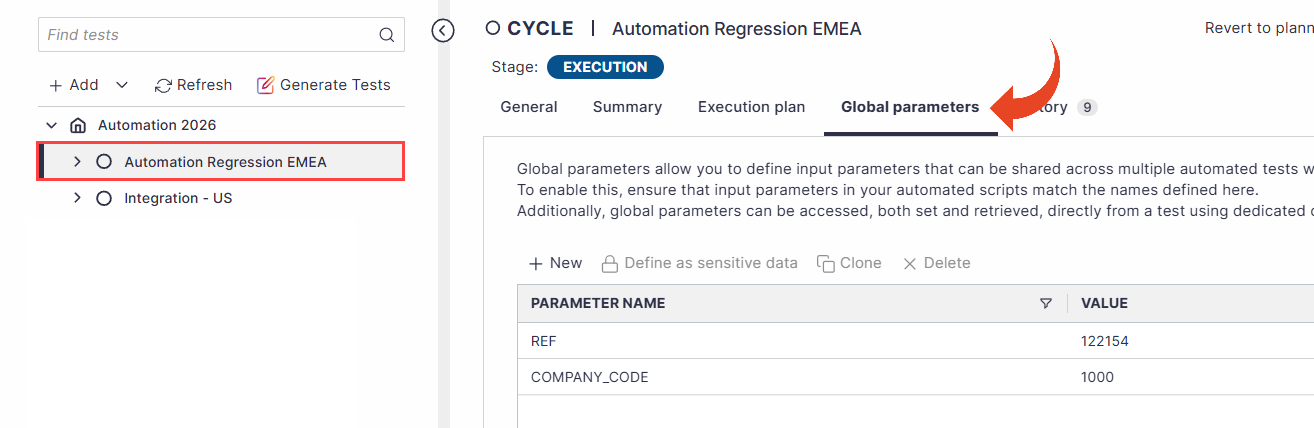
Select one of the supported grouping elements in the test tree. Then, select the Global Parameters tab.
Click on the New button to define a new global parameter.
Double-click on the parameter name or value fields to populate them. Ensure the parameter name matches the input parameter name at the test level.
You can clone an existing parameter and change the parameter name and value using the Clone button.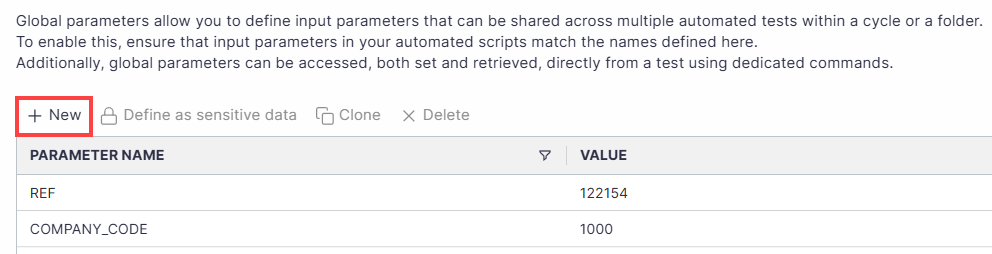
After you define the global parameters, if you leave the automated test dataset parameter value empty. Panaya will look for the same parameter name in the upper grouping element level until it is located. Note that it does not search in all other folders or cycles within the same project.
Important
When looking up a defined Global Parameter during automated testing, the system searches in a specific upper grouping element level order:
Folder & Business Process level
If not found, then Cycle level
Finally, the project level
To fix the error "Planned Run has issues with the input parameters' values", define the Global Parameter at the project level to ensure it can be found.
Sensitive Data in Global Parameters
Global parameters can be marked as sensitive, enabling secure, encrypted handling of shared values such as passwords and confidential credentials, thereby strengthening governance and protecting critical data across automation and testing workflows.
Note
For security reasons, setting global parameters as sensitive cannot be undone.
To define global parameters as sensitive -
Select the global parameter from the list.
Click on the Define as sensitive data button.
You can do this before or after inputting the value.The following pop-up message will appear. Click on Yes, continue.
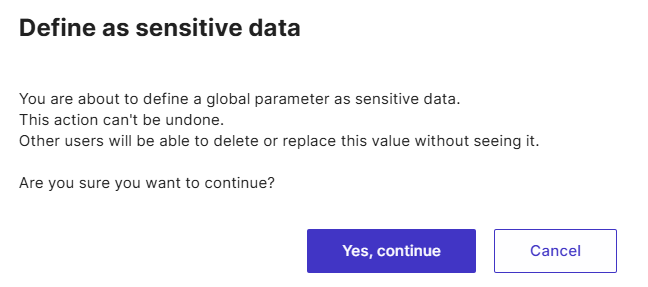
The global parameter will now be encrypted.

Reusing Global Parameters in ScriptBuilder
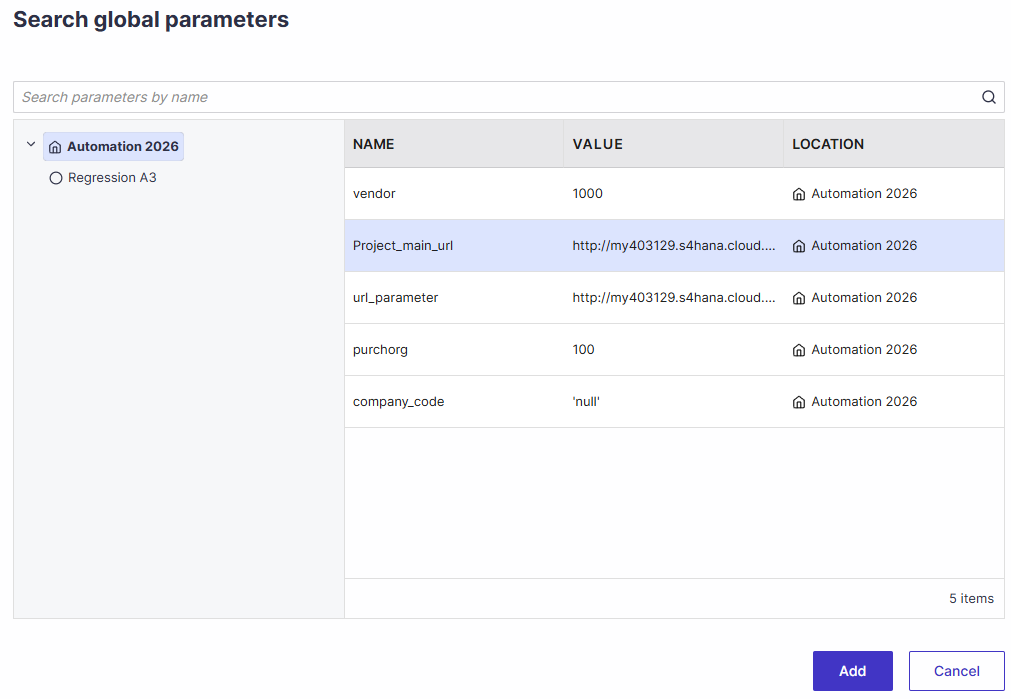
Global parameters can be searched and reused across tree hierarchy levels when adding input parameters in ScriptBuilder. Search results include parameters at the Project, Cycle, and Folder levels, enabling quick discovery through free-text search. A hierarchical view is also available to browse parameters within their defined structure, simplifying their reuse.
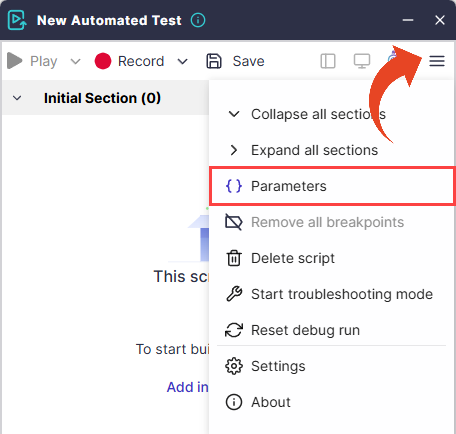
In ScriptBuilder, click on the Menu button > Parameters.
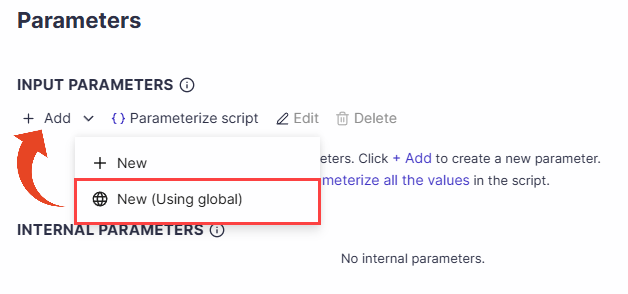
Click on the Add button > New (Using global).
Use the tree view to select the project, cycle, or folder from which you wish to add the global parameter. Then click on Add.
Set & Get Global Parameter Values
You can optionally set and retrieve the values of global parameters during execution with two dedicated ScriptBuilder instructions.
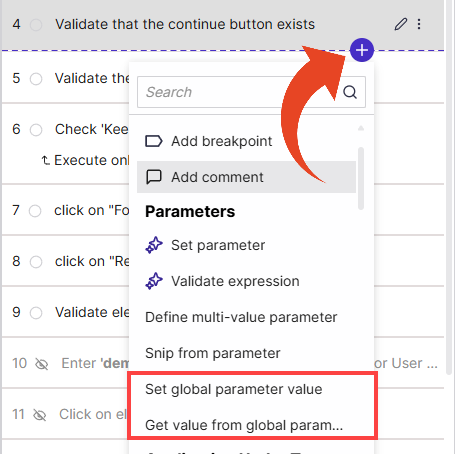
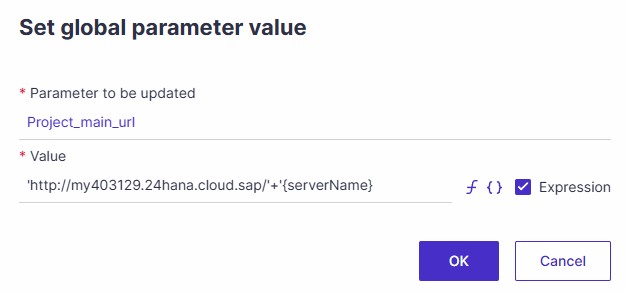
Set global parameter value
Use this instruction to update an existing global parameter value.
Note
Before you can set the global parameter value as part of your script, you must first, create global parameters for your folder, cycle, or project.
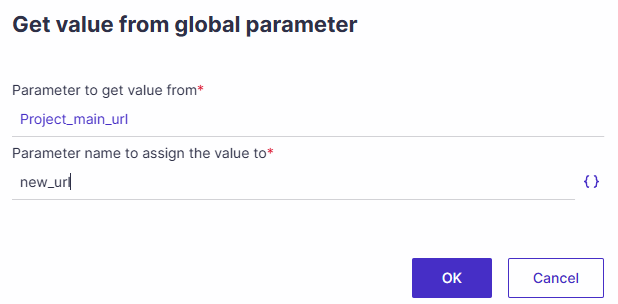
Get value from global parameter
Use this instruction to retrieve the value of an existing global parameter and store it as an internal parameter.