Capturing web applications with the Panaya recorder requires the installation of an extension and a desktop application. This article describes ways to troubleshoot the recorder communication related to the installation of these programs.
Communication Error
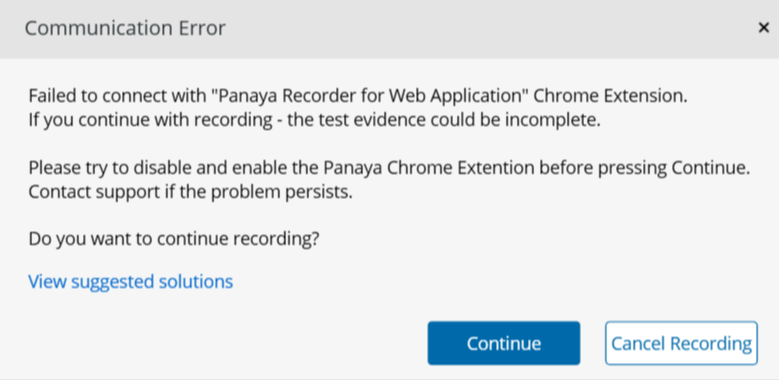
If you encounter the error message:
"Failed to connect with 'Panaya Recorder for Web Application' Chrome extension. If you continue with recording, the test evidence could be incomplete," please try the solutions below to refresh its connection.
Solution 1 - Disabling & Enabling the Extension
Open up extension management in Google Chrome or Microsoft Edge.
In Google Chrome
- Navigate to chrome://extensions/
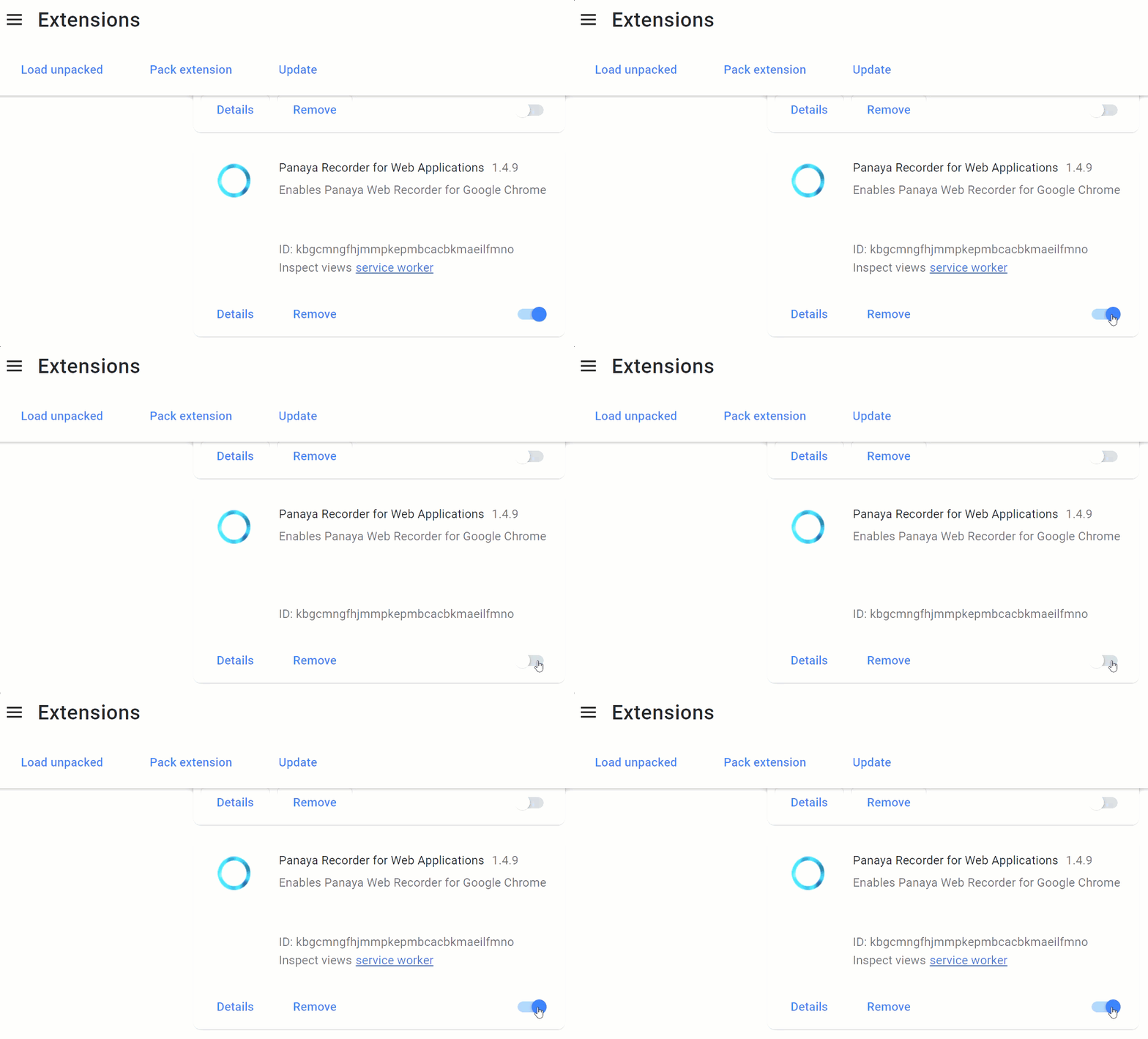
- Look for the Panaya Recorder for Web Applications extension and click the toggle to disable, then enable the extension.

In Microsoft Edge
- Navigate to edge://extensions/
- Look for the Panaya Recorder for Web Applications extension and click the toggle to disable, then enable the extension.

Solution 2 - Web Recorder Program
Check that the recorder program is installed:
- Open your Windows Control Panel, and select Programs and Features.
- Verify that the Panaya Web Recorder appears in the list of programs.
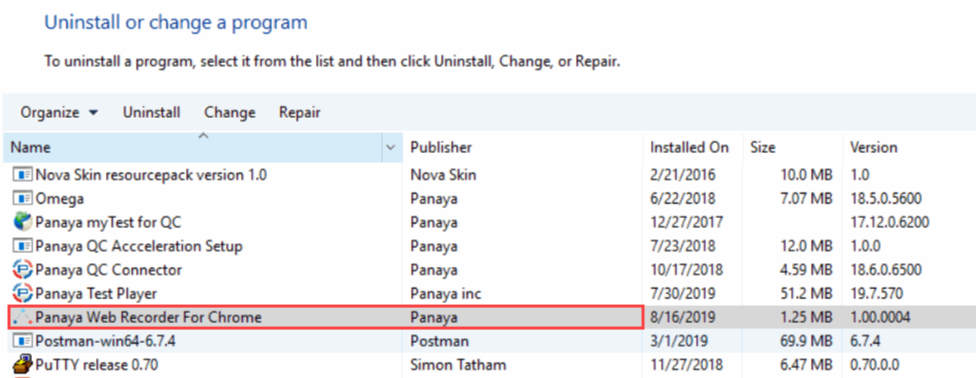
- In case the Panaya Recorder for Web Applications does not appear in the list, you can download it through Panaya.
Login to Panaya and select Settings > Configuration > Chrome Web Recorder Extension Launcher > Download EXE.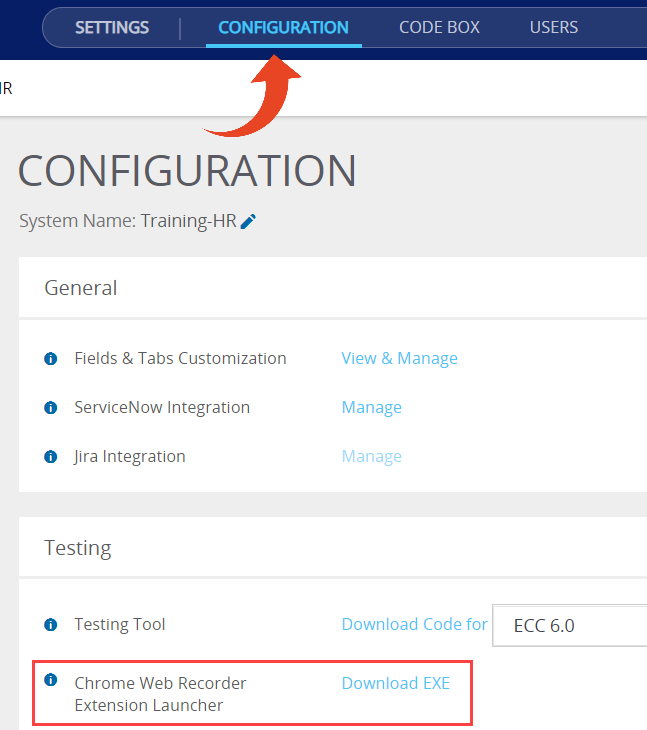
- Follow the steps in Solution 1 once more and disable/enable the extension.
Browser Extension Conflict Detected
If you see the error message "Browser Extension Conflict Detected" while recording in Chrome or Edge, disable the Panaya extension in the browser you are not using to record, as instructed below.
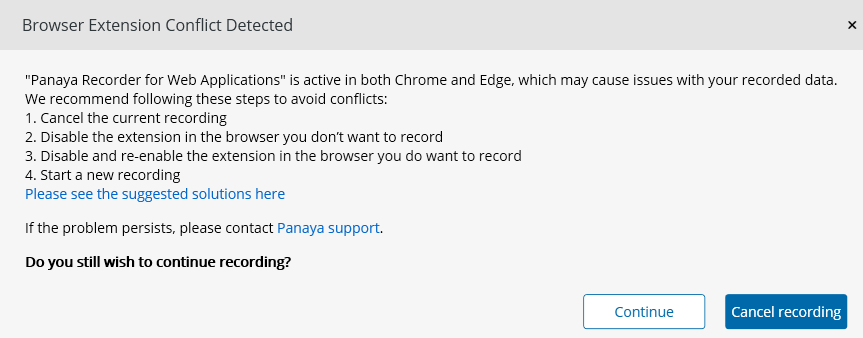
- Identify the browsers where the Panaya Recorder is active.
For instance, if you are recording in Edge but the Panaya Recorder is also installed and enabled in Chrome, the conflict occurs because the extension is active in multiple browsers. - Disable the Panaya Recorder in the browser you are not using to record.
Refer to the instructions in Solution 1 above to disable the Panaya Recorder. In the example mentioned, you would disable the Panaya Recorder in Chrome if recording in Edge. Apply the same approach in reverse if recording in Chrome. - Disable and Enable the Panaya Recorder extension in the browser that you are using to record.
Follow the steps in Solution 1 once again to disable and enable it to resolve the extension conflict issue.