Learn how to use the Impact Analysis and Object Details tabs in Recommended Unit Tests to understand why an object is impacted, review associated Corrections, generate AI-powered testing guidance, and explore additional object information.
Impact Analysis Tab
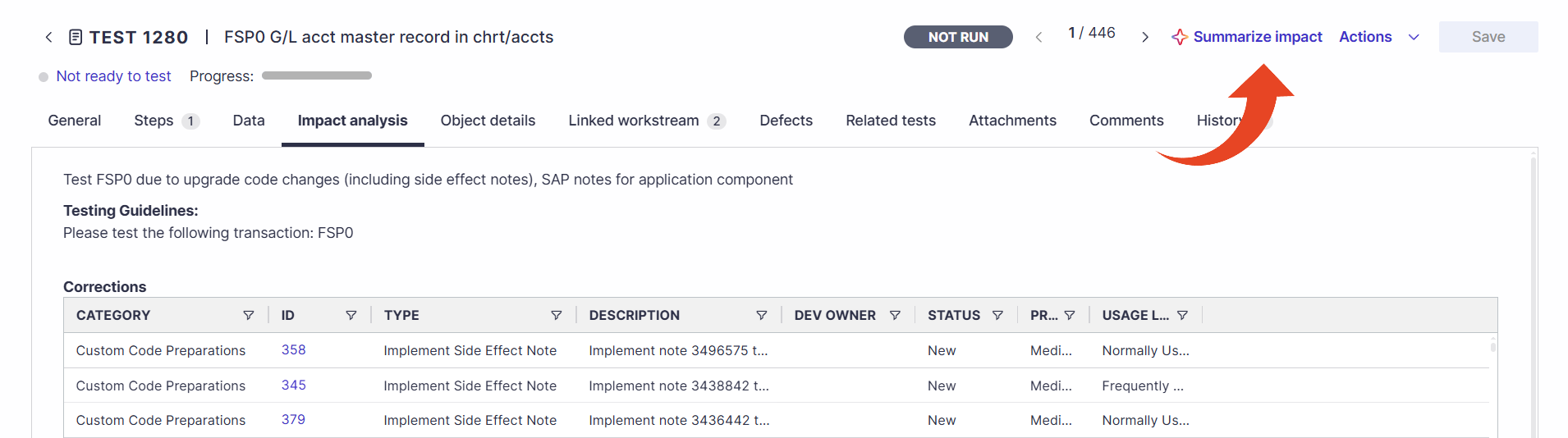
In addition to the regular Test details tabs, the Impact Analysis appears for Recommended Unit Tests. The Impact Analysis tab presents the reasoning behind the impact for a particular object and connects the Unit Test and its associated Correction activities.
Note
The corrections list in the Impact Analysis tab displays up to 5,000 linked corrections per test. If a test has more than 5,000 linked Corrections, you can view the additional corrections by downloading the Corrections to Unit Tests report.
AI-Powered Unit Test Guidance
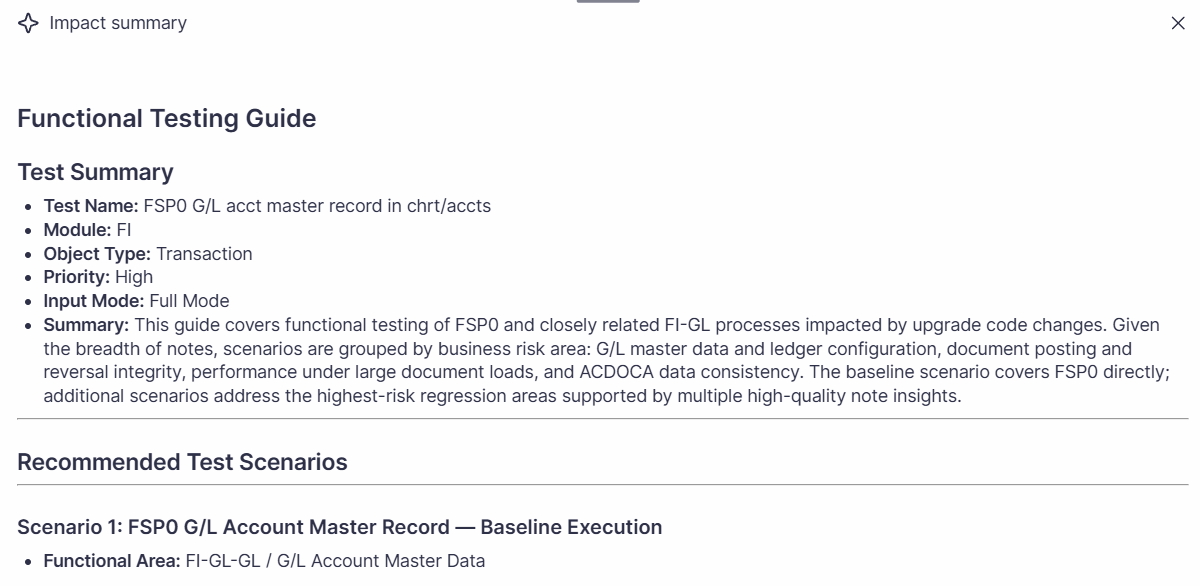
For Recommended Unit Tests in Impact Analysis projects, select Summarize impact to generate AI-powered testing guidance based on the Corrections associated with the Unit Test.
Panaya analyzes relevant correction information for the Unit Test and consolidates it into recommended testing scenarios that reflect the impacted business logic and code changes. The analysis considers additional correction types associated with the Unit Test, beyond SAP Notes, to provide broader and more complete testing guidance.
Object Details Tab
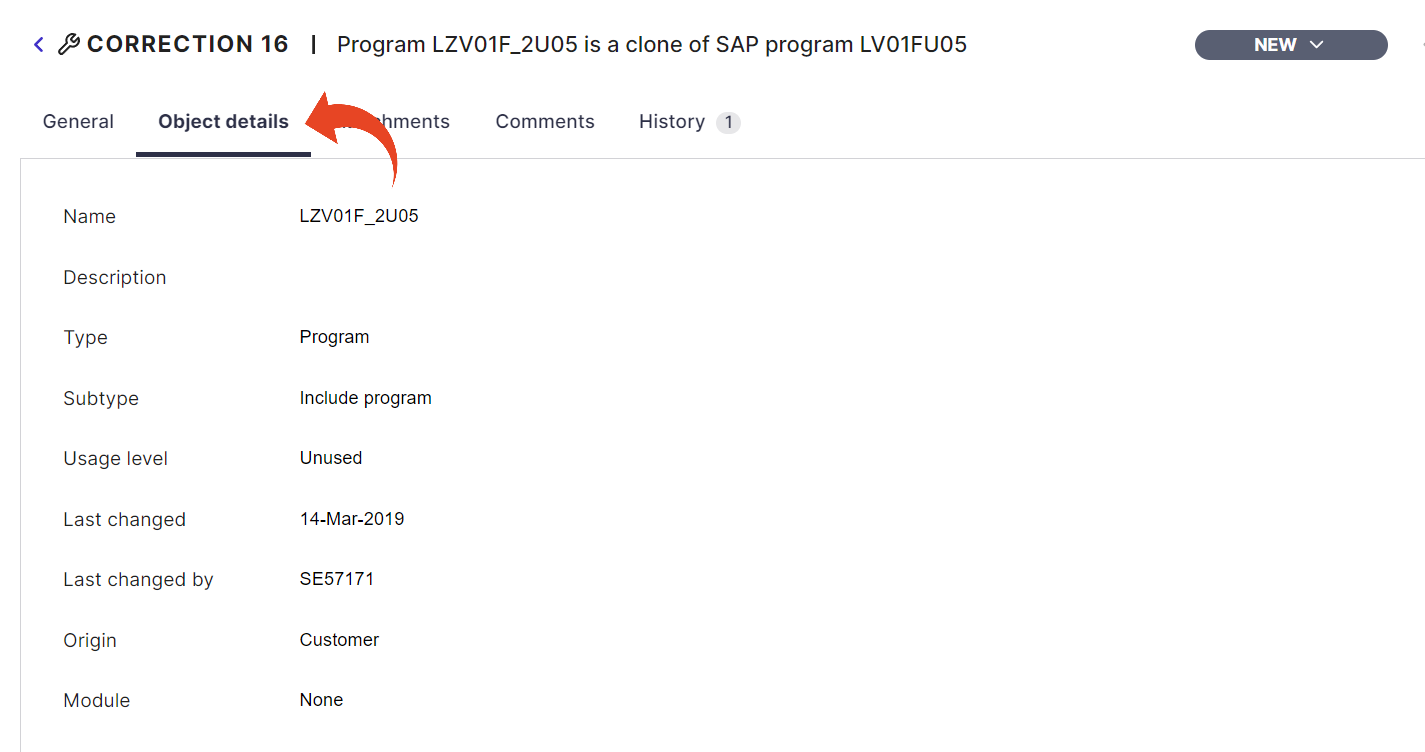
The Object Details tab appears for both Corrections and Recommended Unit Tests. Here, you can view the Object's details, including its name, description, and more. The Last Used field derives from all associated Entry Points.
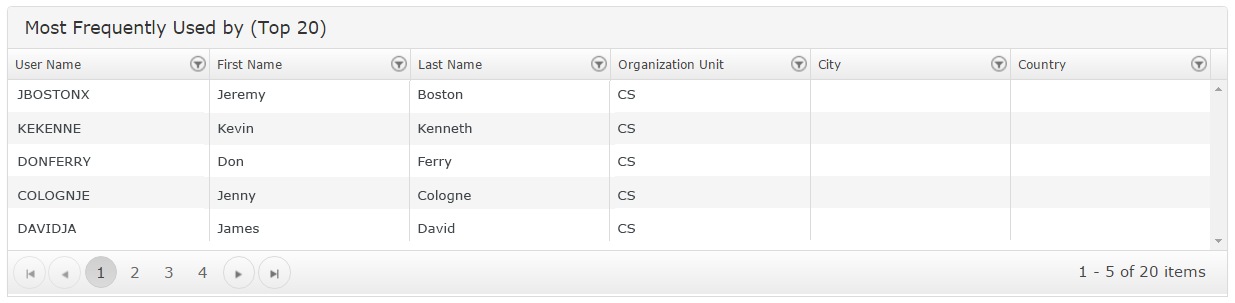
Most Frequently Used by (Top 20)
This section displays a list of users that most frequently use the object. You can use this information when assigning associated test activities.
This feature requires allowing specific Authorizations.