Applies to S/4Code and S/4Convert projects
Fix Packages are also part of new S/4Convert projects, where they replace Workstreams.
Fixed packages are the best way to submit your code safely. Each Fix Package contains a group of automatic code corrections that cover dependencies and relations to minimize submission errors.
Fix packages are mostly grouped by the SAP packages, so you can easily identify the content and assign relevant developers to review and submit them.
Fix Packages View
The fix packages view displays all automatic code fixes for your project. Use the fix packages view to filter, sort, and group items. You can also use this view as a report by sorting and filtering it to your needs and then using the Export button to export the list to an Excel spreadsheet.
To view the list of Fixed Packages, click on the Development tab.

Fix Package Type
Below are the available fix package types included in your project. Each package supports a different category of code optimization or correction. These are correlated with the project plan and are designed to group relevant corrections for each stage of code fixing, and are supported by Panaya’s best practices.
Code Fixes
Contains code fixes for mandatory ATC findings grouped by SAP Packages.
Code Cleanup
Deactivates entire objects based on their usage within the past 12 months. Objects not used during this period will be deactivated.
Includes reports and related components that are deemed unused according to the provided usage data and user settings.
Performance Improvements
Provides performance enhancements for objects optimized for SAP S/4HANA.
Pseudo Comments
Handles ATC false positive findings for compatible scenarios. Some findings are intentionally false positives and require review.
Uses Seemore Intelligence AI to generate fixes for various ATC issues.
Fix Package Status
Pending review
Fix Packages that contain corrections that require review before submission.
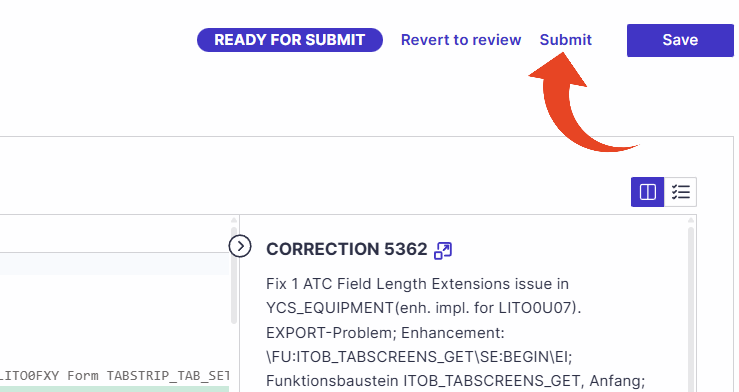
Once the package is reviewed, it will be in the "Ready for submit” status, and the submit button will become available.Ready for submit
Fix Packages that Panaya has validated to be safe for submission, and no review is required.Partial submission
This status is shown when at least one correction in the Fix Package has been successfully submitted, while others remain in New or Open status.
Submitted
Fix Packages that were submitted successfully to the relevant SAP environment.
Rejected
Fix Packages that were rejected, and their corrections were updated according to the Fix Package type.Submit Errors
Fix Packages where all corrections encountered submission errors.New (Assisted Fix Packages only)
The Fix Package is marked as New when no Fix Assist corrections have been generated yet.This status indicates that the Assisted Fix Package has not started the fix generation process.
In Progress (Assisted Fix Packages only)
An Assisted Fix Package is marked as In Progress when it contains accepted fixes that have been saved but have not yet been submitted to the SAP system. The Fix Package remains in In Progress status until all corrections within the package are submitted. Once all Corrections are submitted, the Fix Package status automatically changes to Submitted.
Inactive
Fix packages where all corrections are closed or out of scope and that are “ready for submit” or “pending review”. No further review or submission is required.
For example, during progress analysis, all corrections were automatically closed because the issue was not found anymore, and the fix package was “pending review”. Because the issues were already fixed and are no longer exist, the fix package was moved to inactive as the included fixes are no longer necessary.
Review Fix Package
Click on the ID or Title of a fixed package in the list to review it.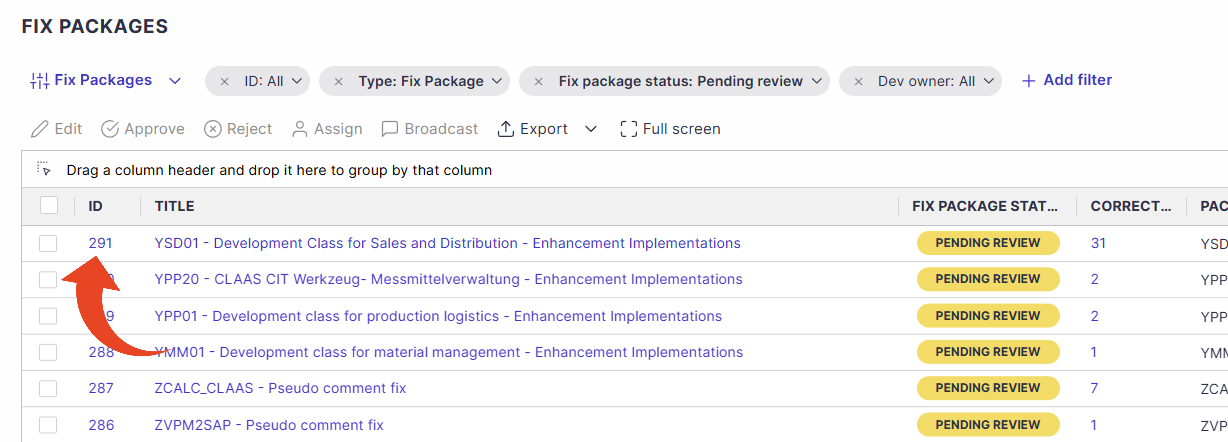
Approve or Reject
The Fix Package Code Corrections tab allows you to perform actions such as reviewing and submitting the included fixes.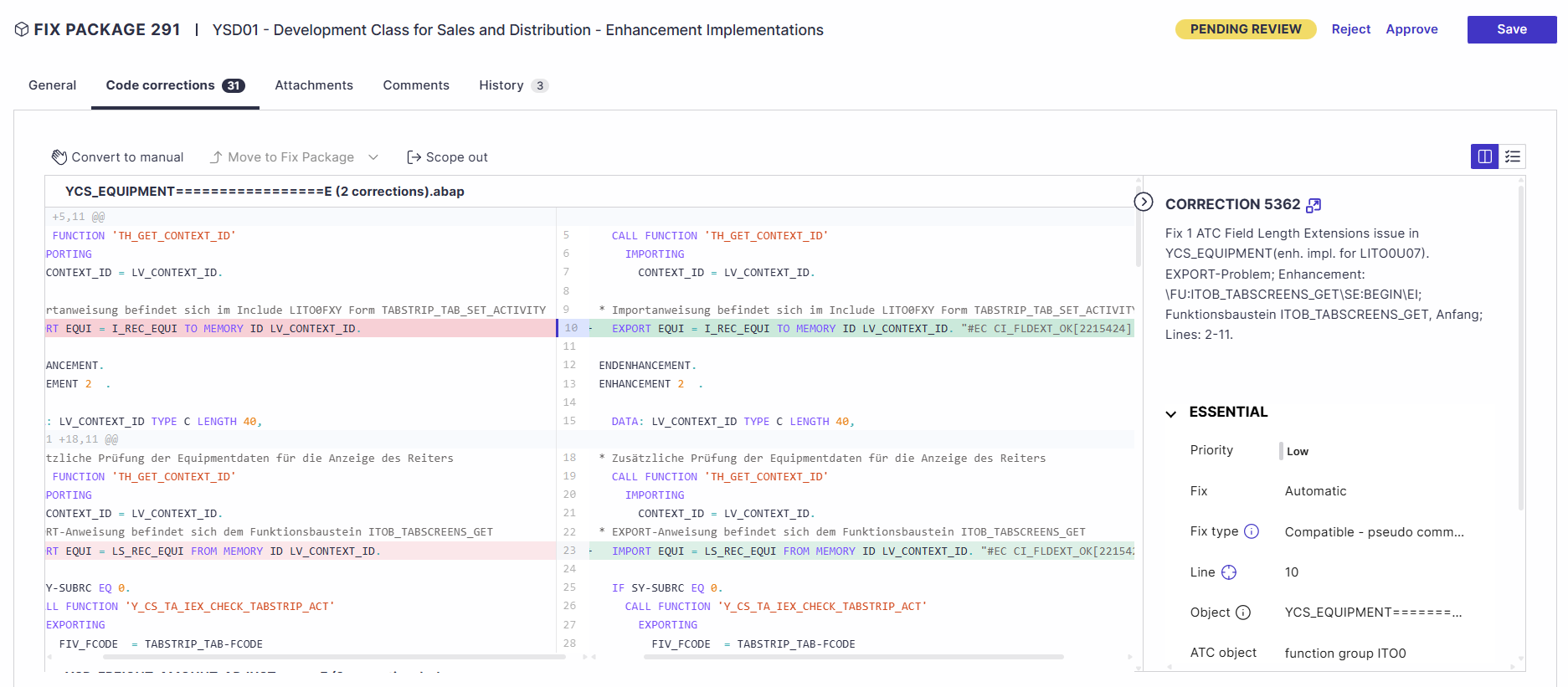
In the Code corrections tab of the Fix Package you will be able to view all corrections within the package in a simple and intuitive comparison view.
You can review each fix separately by clicking on it in the fixes list on the left-hand side of the screen.
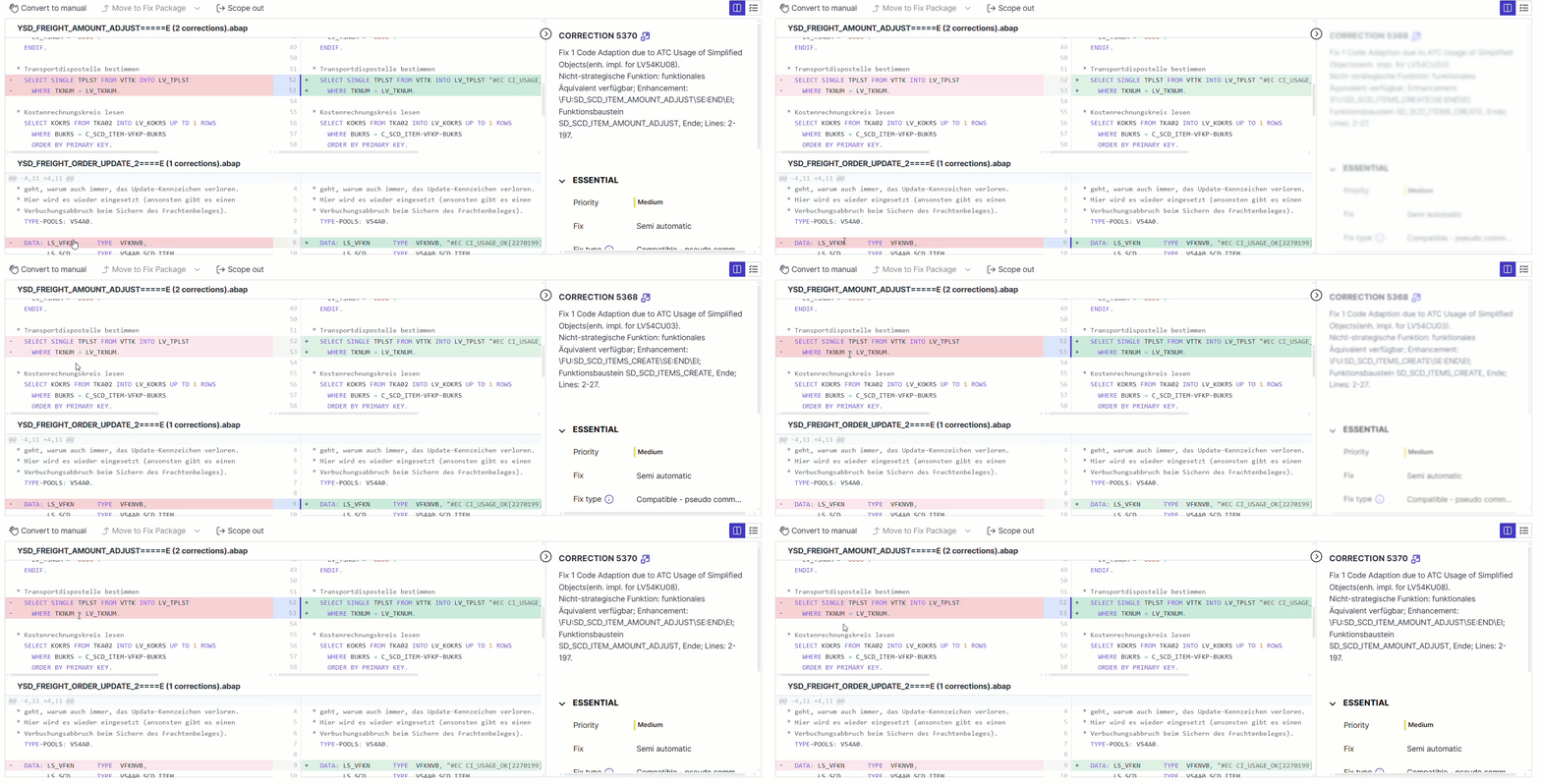
After your review, you can Approve or Reject.
Doing so will not submit the changes to your development system. You can submit the fixes in the next step.
When rejecting, the user can define the status of all corrections in the package.
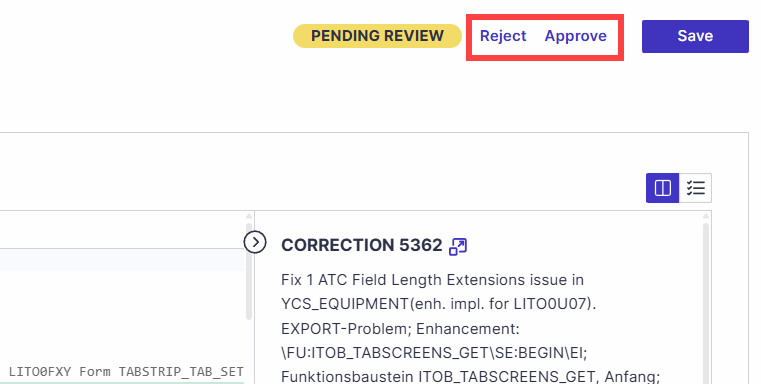
Rejecting all will prevent the automatic fixes for these corrections from being implemented, and you will be able to set the status to apply to all corrections in this Fix Package.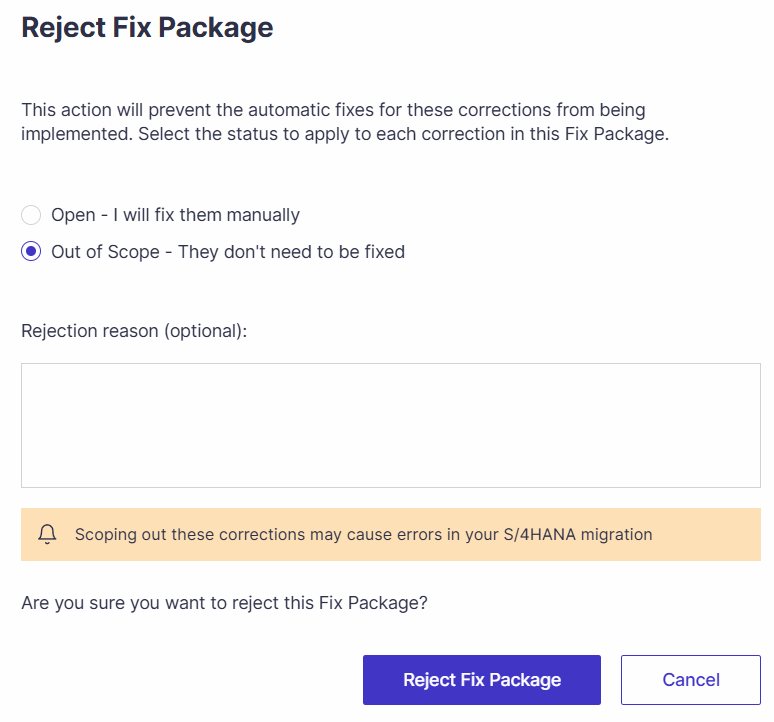
Submit Fix Package
Once you are ready, click Submit to submit all corrections in this Fix Package.
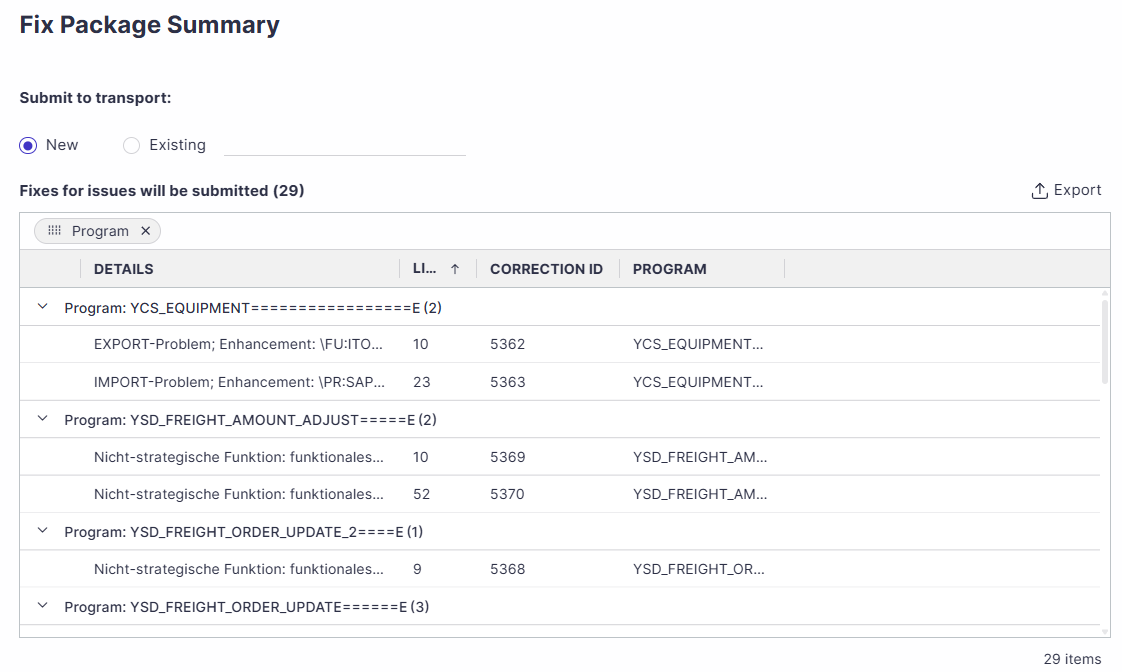
Panaya will then show you a submission summary and enable you to select the relevant SAP transport for this submission.
You can create a new transport request with all submitted fixes or utilize an existing one.
Click Approve submit to deploy the changes to your SAP system.
Once submitted, the status of the fixes will be automatically set to Closed, and the fix package status will be changed to Submitted.
In cases where some of the corrections encounter submission errors, the fix package status will be Submit errors. Use the code view to review the error details. You can re-submit the fix package after fixing these errors.
Read here about the client-side Installation for our Code Remediation Synchronizer.
Submitting Point Arithmetic Fixes
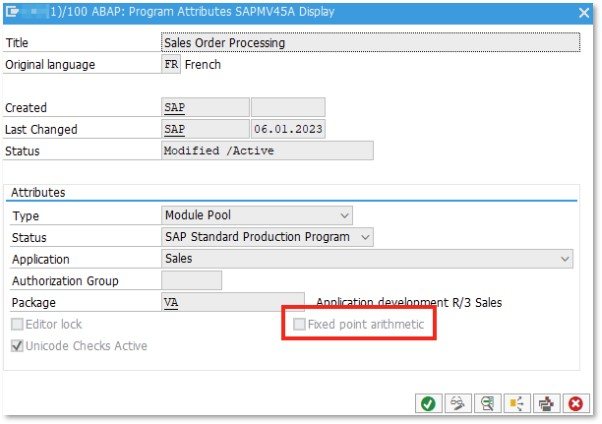
Automatic fixes for KONV and VBUP/VBUK objects can only be applied after Fixed Point Arithmetic is enabled for all affected programs in your SAP S/4HANA system.
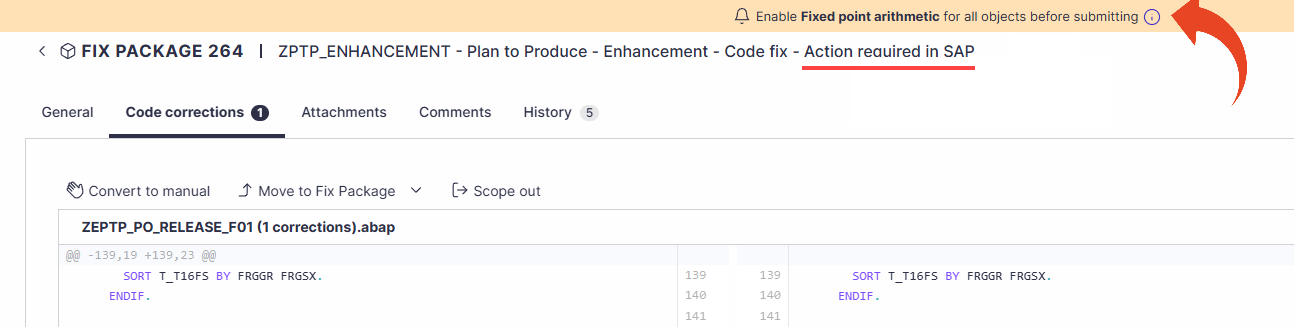
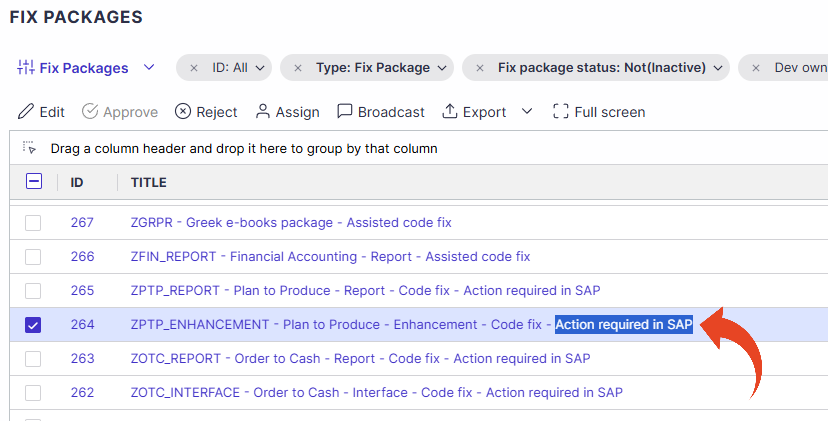
To simplify identification and preparation, all related corrections are bundled into dedicated Fix Packages. These Fix Packages can be recognized by the following indicators -
The Fix Package title ends with “Action Required in SAP”
A notification ribbon is displayed within the Fix Package, highlighting the required action.
Ensure Fixed Point Arithmetic is enabled before applying these Fix Packages to avoid submission failures.
Important!
Before submitting, developers must enable Fixed Point Arithmetic in each relevant ABAP program.
This activation must be performed individually for each affected object and program.
Open the relevant ABAP program in the ABAP Editor.
Visit Program Attributes.
Enable the Fixed Point Arithmetic flag.
Save and activate the program.
Repeat these steps for all objects included in the ACC fix submission.