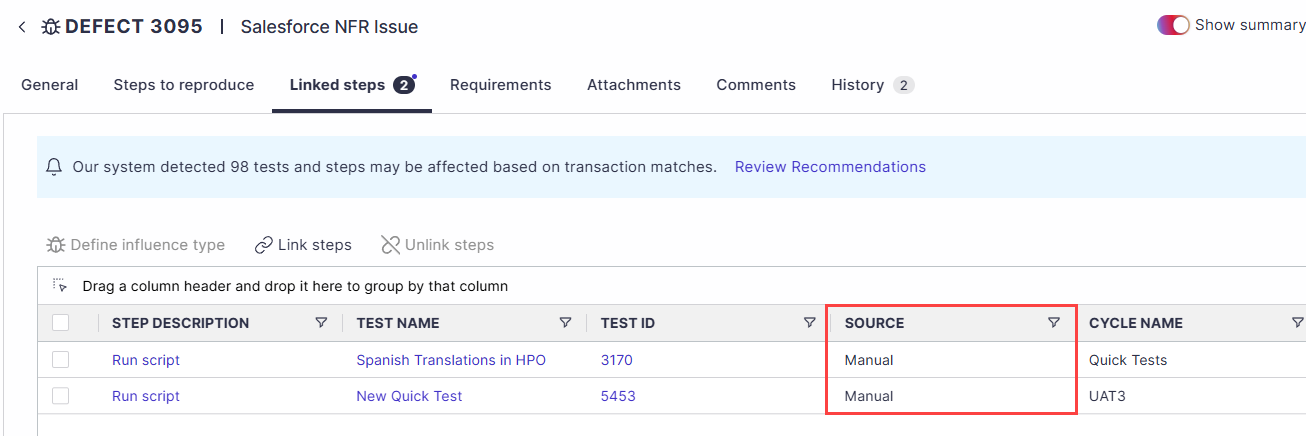
Panaya allows you to link or unlink test steps to existing defects. This capability is helpful when Panaya does not automatically recognize the influence.
Open up a defect and select the Linked steps tab.
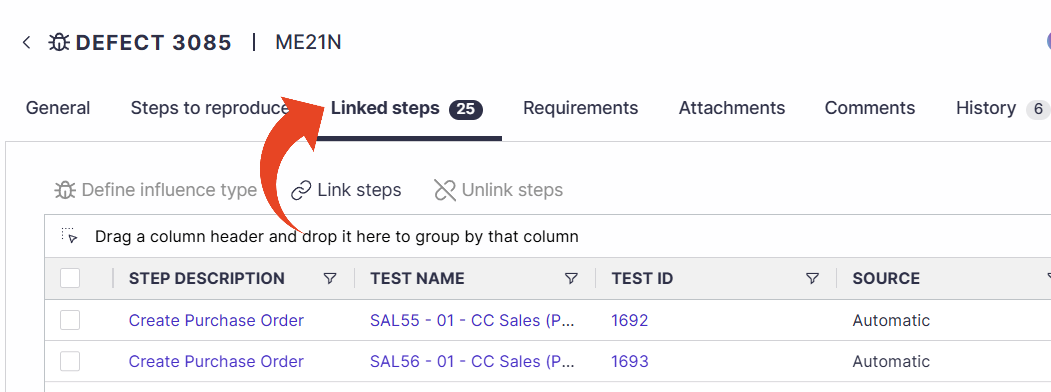
Click Link Steps to search for the test step or planned run you want to link.
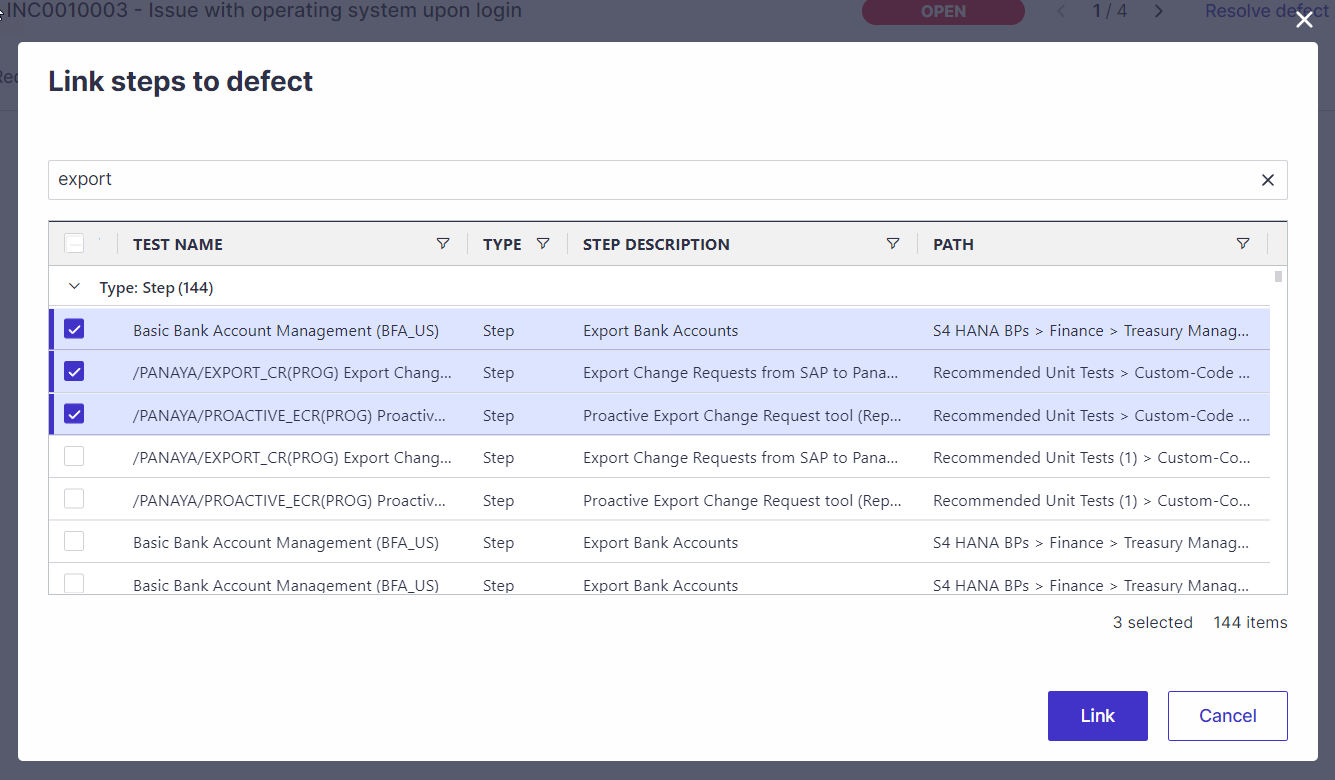
Search by:
Test ID
Test Name
Step Description
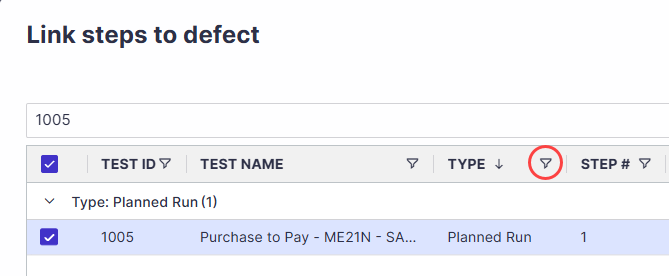
Use the filter to display either Steps or Planned Runs. The search can return up to 1,000 results. You can also resize the result columns to make longer test names and step descriptions easier to review.
Select one or more results and click the Link button. Then save the defect.
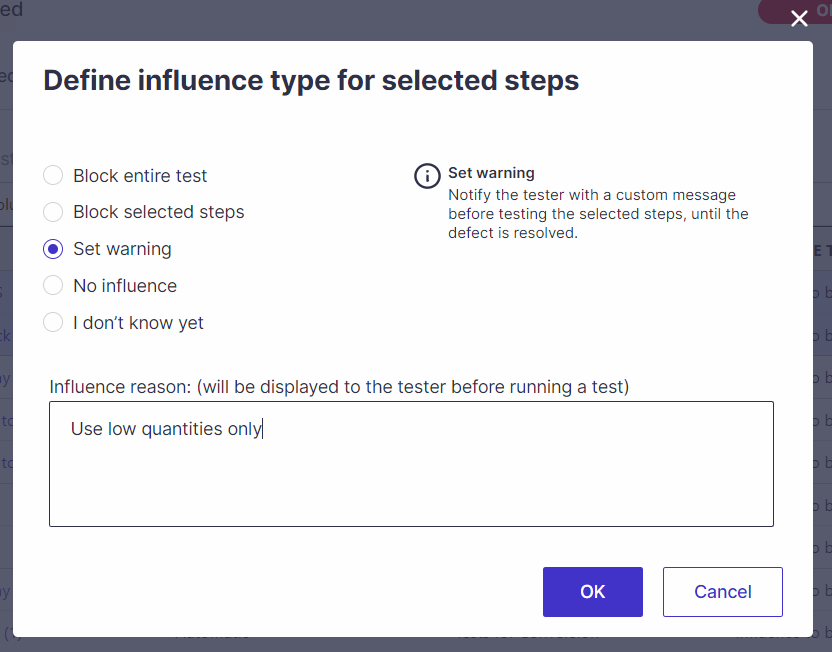
Select the Influence Type, i.e., how this defect should influence test and step execution
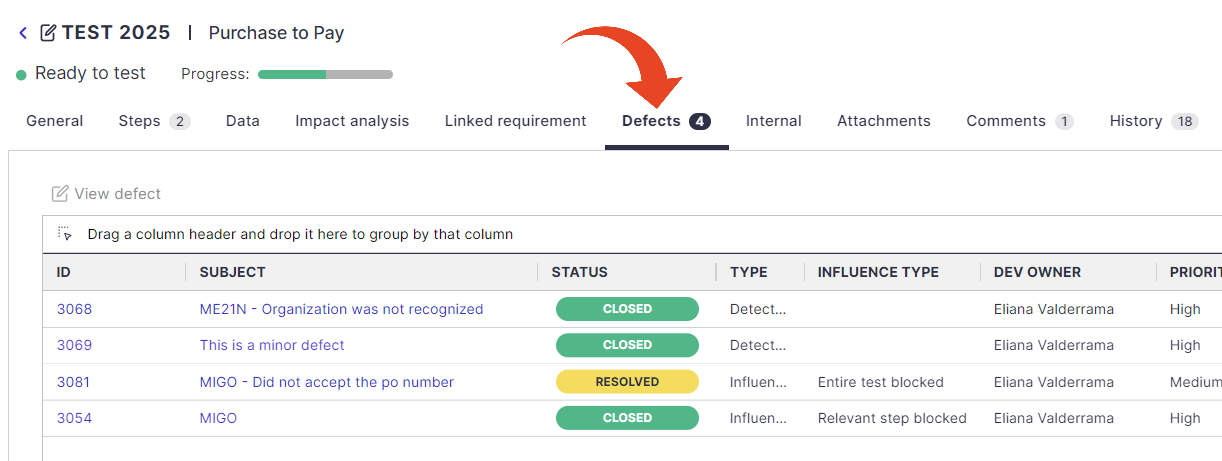
The defect will appear in the Defects tab for all selected tests after completion.
Good to Know!
If you manually link or unlink test steps, they will appear as Source = Manual.