Linked Defects help teams understand how defects are connected across a project and reduce duplicate investigation effort. You can link defects as Duplicate or Related from the Linked defects tab of any defect.
Linked defect relationships are bidirectional. When you link one defect to another, the relationship is visible from both defects.
✦ LOOKING FOR DUPLICATES? USE AI
Panaya can use AI to find potential duplicate defects for you, both for existing defects and while a new defect is being created. Learn more about AI-Powered Duplicate Detection.
Powered by Seemore Intelligence
Link Defects Manually
Use manual linking when you already know that two defects are connected. You can classify the relationship as Duplicate when both defects describe the same issue, or Related when the defects are connected but represent different issues.
Open the relevant defect and select the Linked defects tab
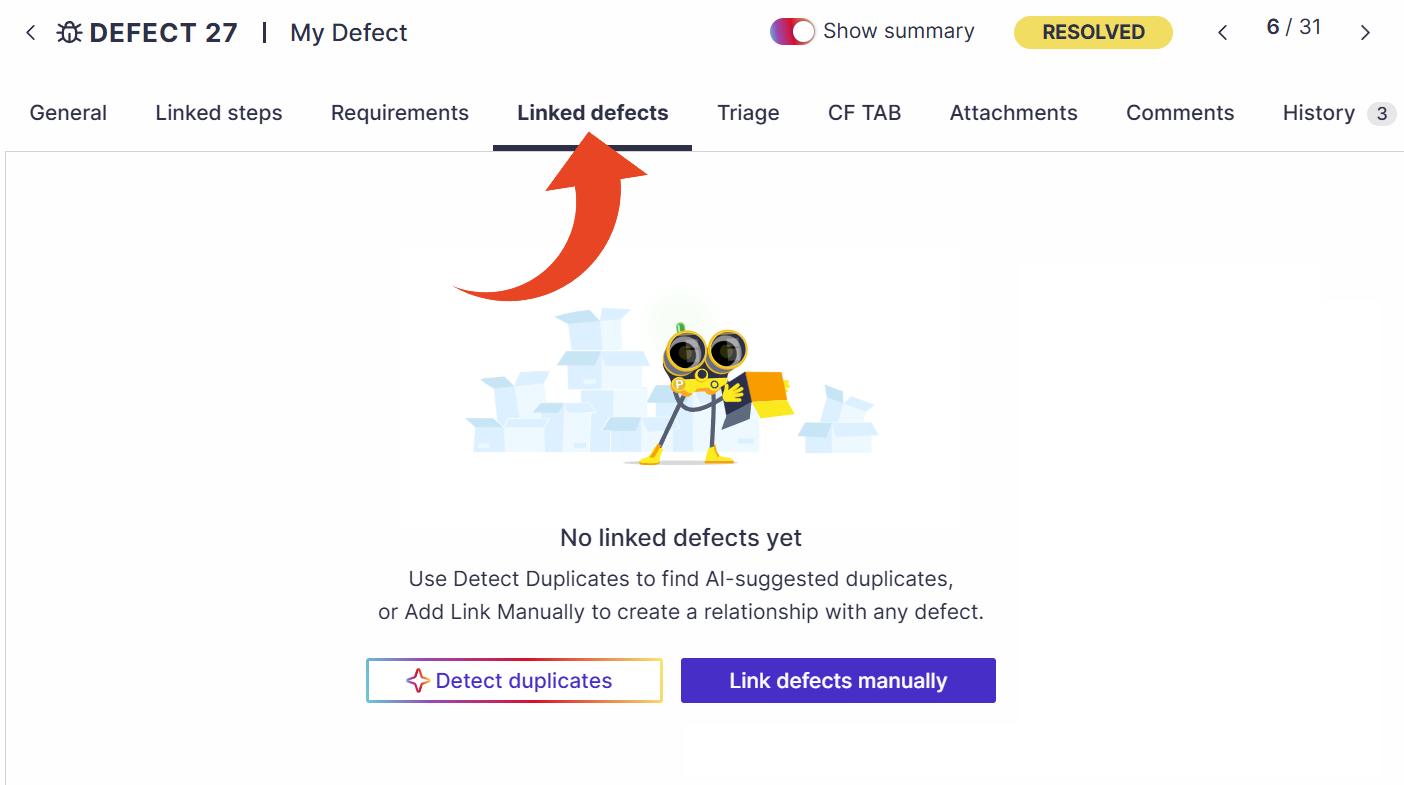
Select Link defects manually to connect the defect to an existing defect.
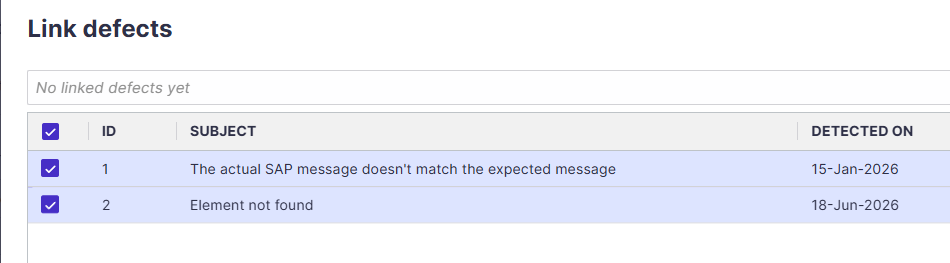
Search for the relevant defects in the list. Select the defects and click Add.
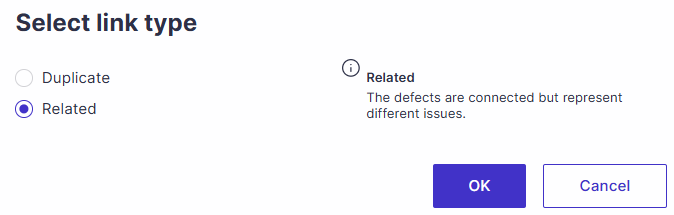
Select the link type and click OK.
Duplicate - use when two defects describe the same issue.
Related - use when defects are connected but represent different issues.
Linked Defects in the Defect List
The Linked Defects column in the defect list displays the number of defects linked to each defect. Use it for reporting, or click the number to open the defect's Linked defects tab.
Good to Know!
Linked defects are informational and do not affect defect status, workflow, hierarchy, or test execution.