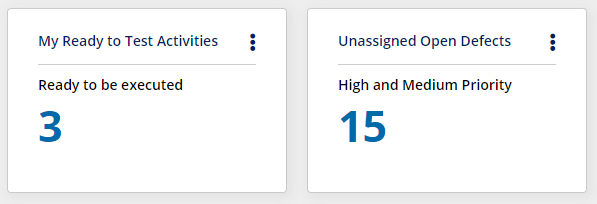
The View Counter Widget displays the number of items in a selected view for Tests, Steps, Defects, Corrections, Requirements, and Automation Runs.
Users can click on the number to drill down to a list of items.
To edit the widget -
Click on
 and then select Edit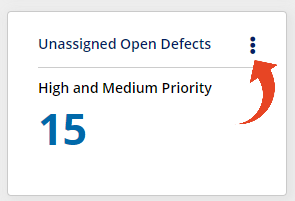
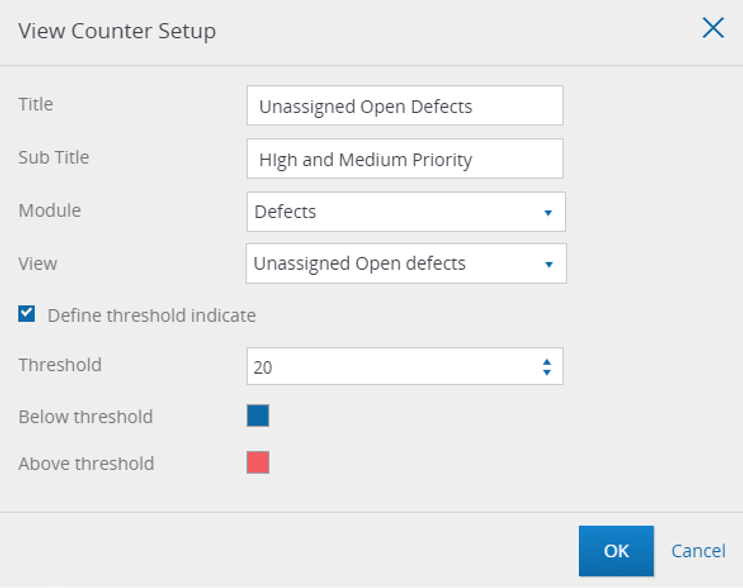
Here is what you can define in the Widget setup -
Title
Sub Title
Module - Tests, Steps, Defects, Corrections, or Requirements / Features, Automation Runs.
Select the Module first to populate the available ViewsView - you can select from predefined views for Tests, Defects, Corrections, or Requirements / Features, Automation Runs.
And you can also create your own customized filtered viewDefine Threshold - You can set a threshold for the number of items to be displayed in different colors