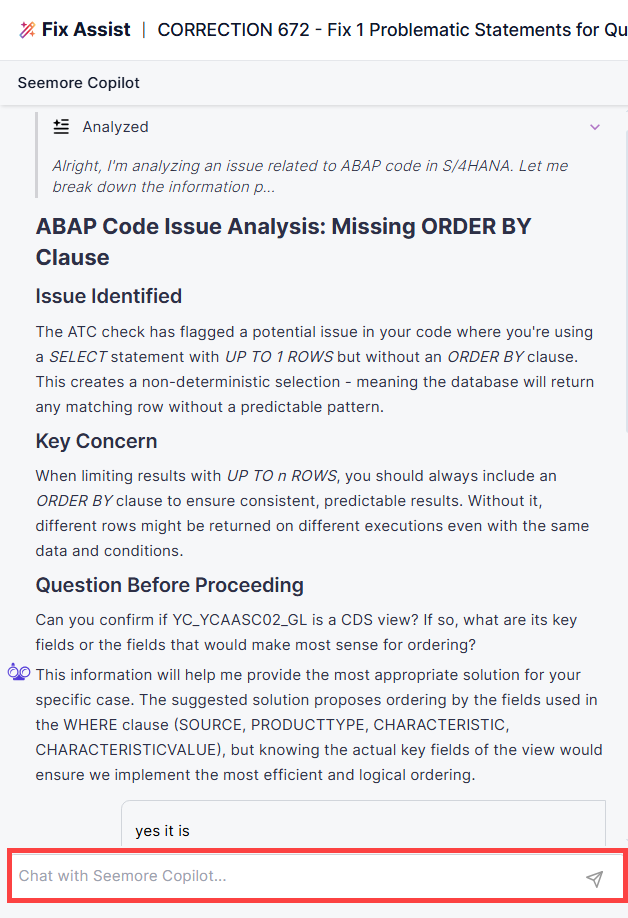
Seemore Assistant can explain ABAP code upon request. Get on-demand AI-generated explanations by analyzing the program and context and pinpointing the explanation for the selected code line.
Anywhere a code view is available in Panaya, users can request an explanation for a selected section of code or for the entire ABAP object or program. This enables on-the-spot understanding without leaving the workflow.
Panaya provides ABAP code explanations in the full context of the relevant correction. This includes associated details such as the ATC finding, related SAP Notes, impacted objects, and other supporting information. The goal is not only to explain what the code does, but also why a correction is required and how it aligns with SAP standards and best practices.
ABAP Explain supports a wide range of personas, including SAP consultants, functional architects, QA managers, testers, and, in certain scenarios, ABAP developers.
ABAP Explain in Object Source Code
You can explain ABAP code from within a correction activity.
Explain object
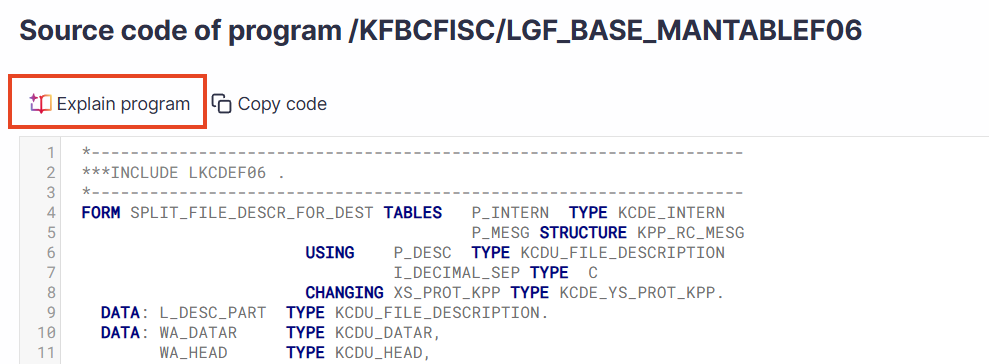
In a correction , click on the object name to open up the source code.
To review the general purpose of the object code and what it does, click the Explain program button.
Explain Code Section
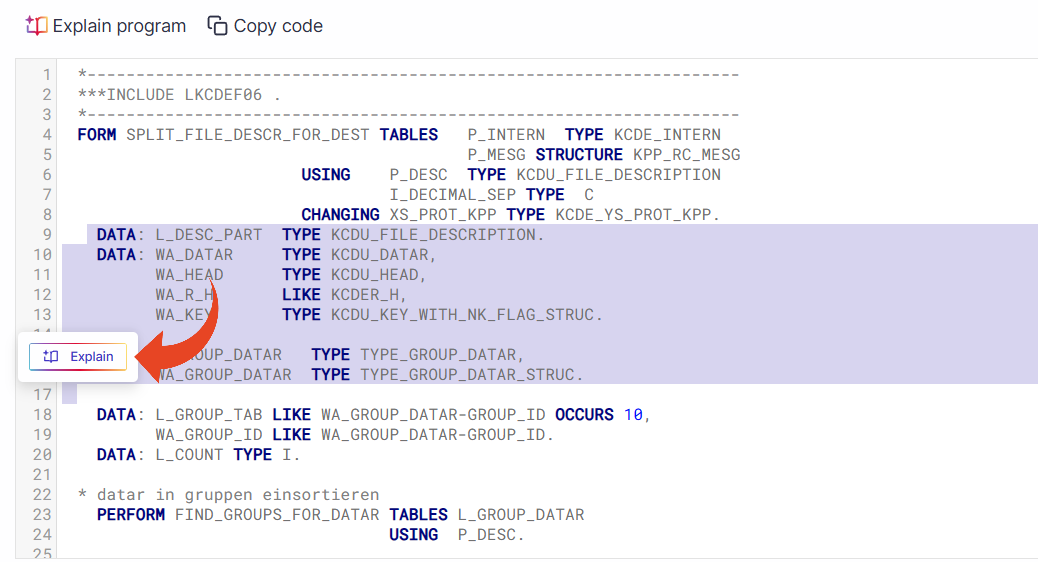
To understand the specific purpose of a code segment -
Click on the object name to open up the source code.
Click and drag to mark a section of the code.
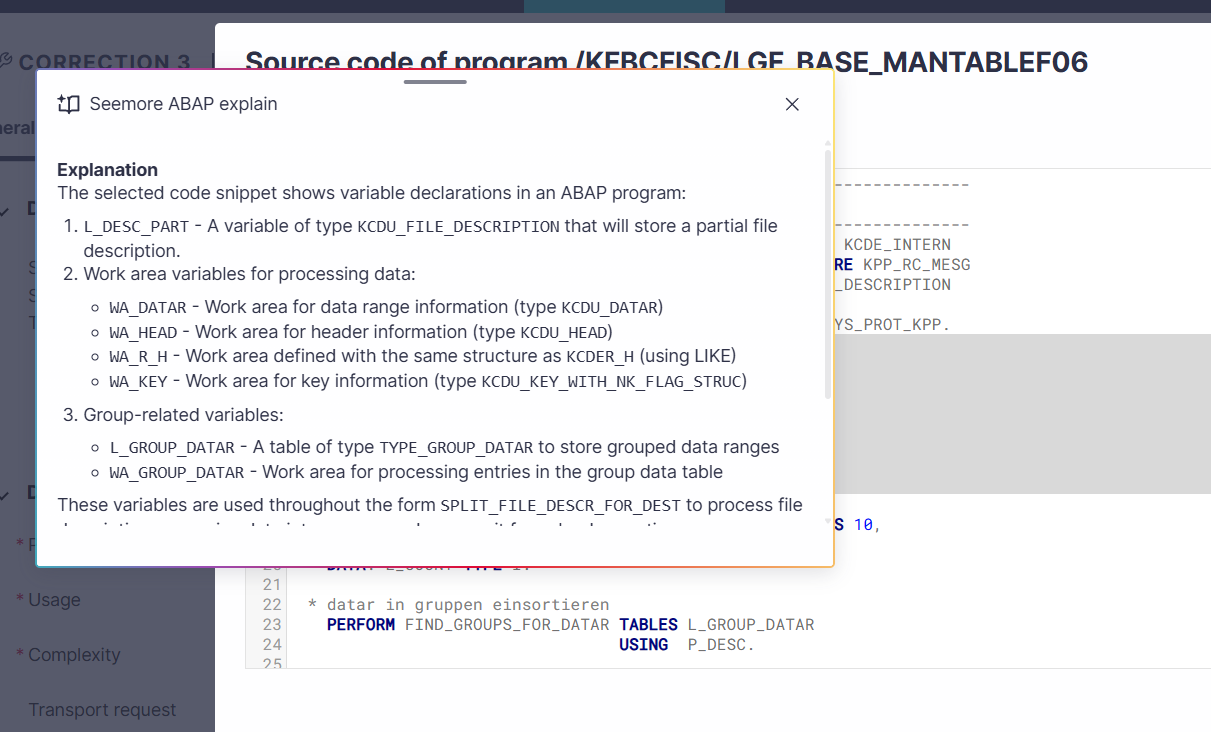
Click the Explain button.
ABAP Explain in Code View tab
Explain object
In a correction ,click on the Code view tab.
To review the general purpose of the object code and what it does, click the Explain program button.
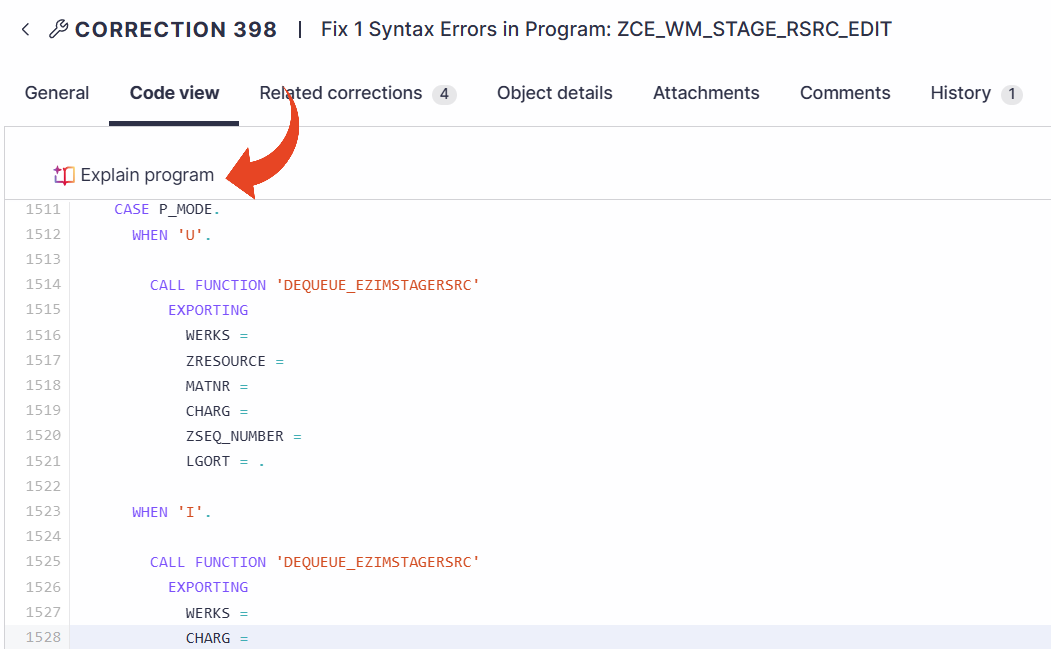
Explain Code Section
To understand the specific purpose of a code segment -
In a correction, click on the Code view tab.
Click and drag to mark a section of the code.
Click the Explain button.
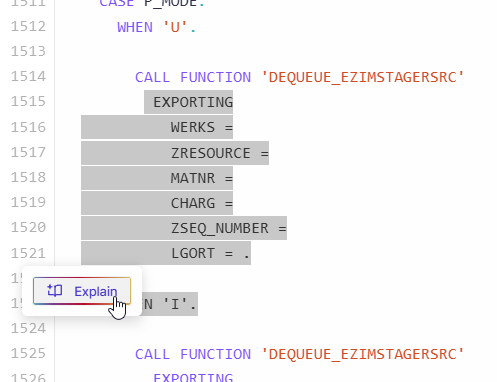
ⓘ TIP!
You can move the Seemore ABAP explain pop-up by dragging and moving it to another location on the screen.
You can resize the pop-up.
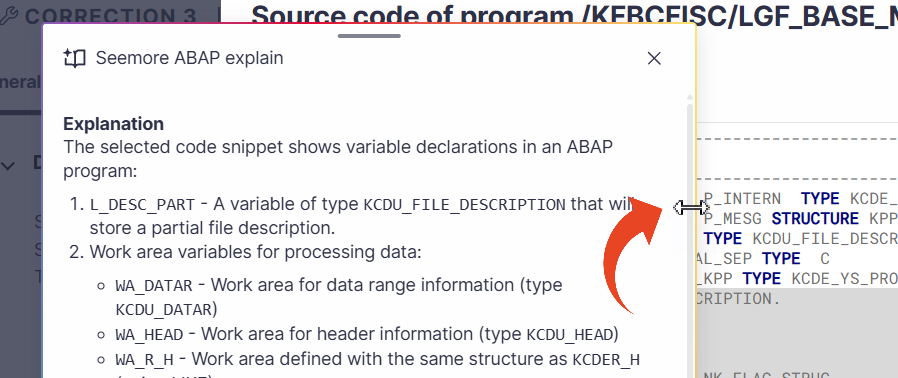
Clicking × or outside of the pop-up will close the explanation.
ABAP Explain in Seemore Assistant
The ABAP Explain in Seemore Assistant Code Editor allows users to receive clear explanations for existing or newly written ABAP code, as well as for Panaya’s suggested fixes. The explanation is contextual and directly tied to the identified issue or recommendation.
Simply type your question for Seemore Copilot in the Fix Assist view.