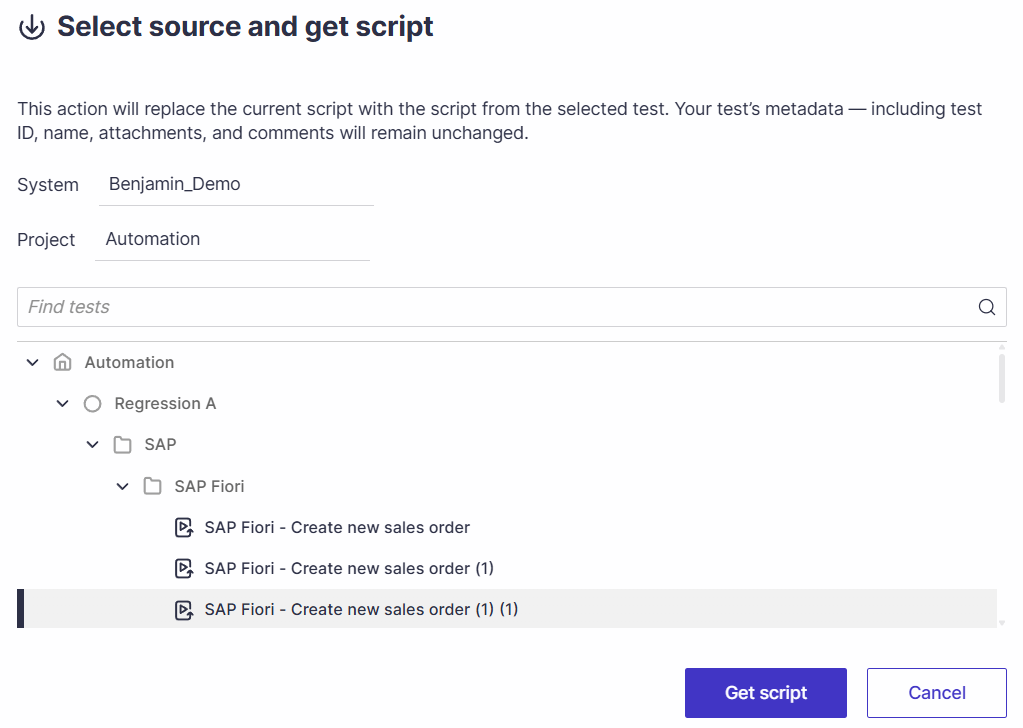
You can update the script of an existing automated test using a script from another test. This enhancement eliminates unnecessary duplication of automated tests, thereby maintaining script consistency across related testing scenarios.
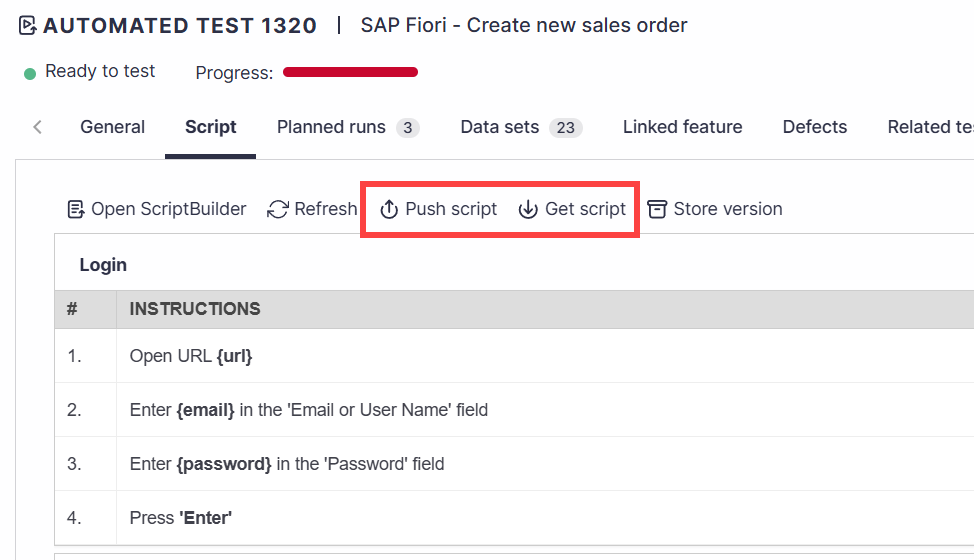
Good to Know!
The Push and Get script buttons automatically generate a script version.
Push script
Allows you to use an existing script to replace another automated test script. 
Select the System, Project. Use the search box to find and select or use the tree view to select the test for which the script will be replaced.
Upon selection, click Push script.
This action will replace the existing script in the selected test with the current script.
Metadata such as test ID, name, attachments, and comments will remain unchanged.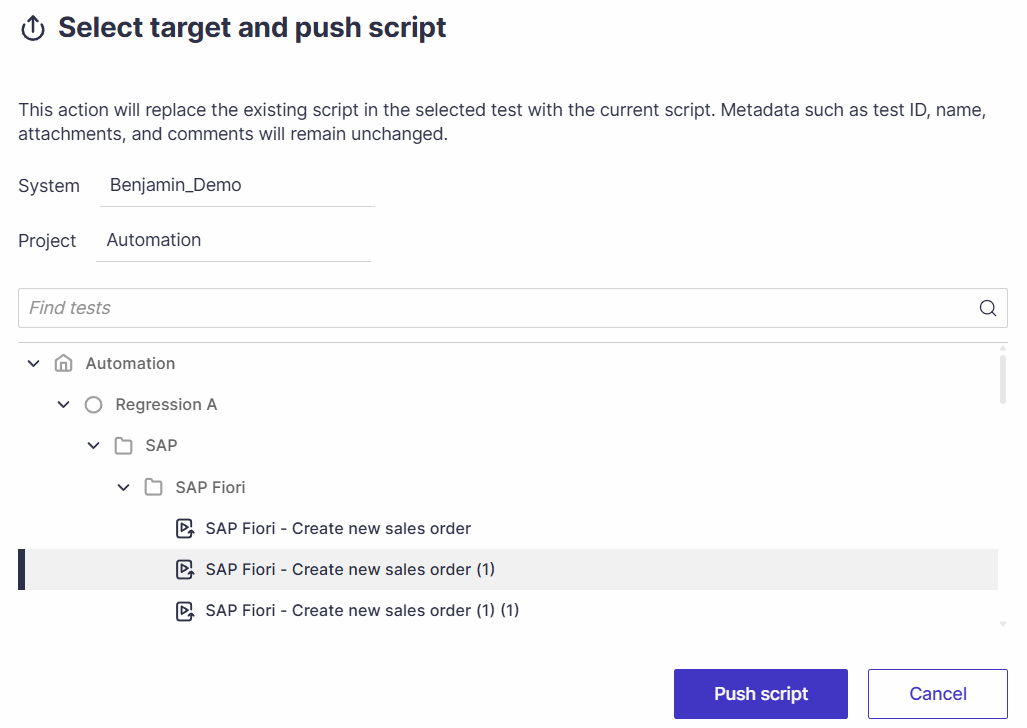
Get script
Allows you to use another automated test script and replace the currently viewed script.
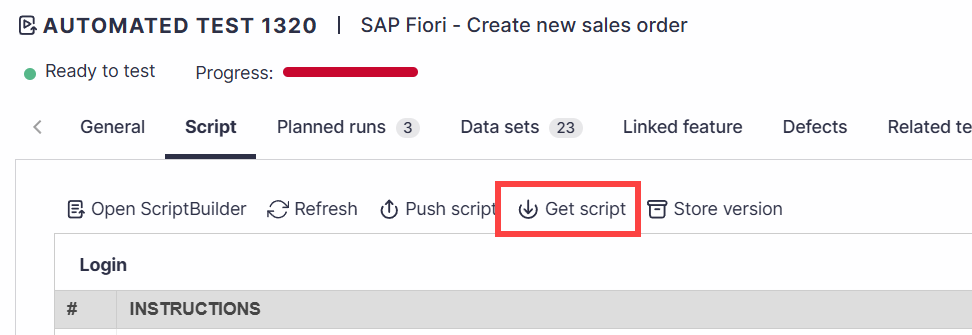
Select the System, Project. Use the search box to find and select or, use the tree view to select the test from which the script will be used to replace the currently viewed script.
Upon selection, click Get script.
This action will replace the current script with the script from the selected test. Your test’s metadata — including test ID, name, attachments, and comments will remain unchanged.