The following API calls can be used to retrieve or update Project information.
1.) To get project data:
GET {{url}}/api//v2/projects
{{url}} - replace with your Panaya site URL: either https://my.panaya.com/ or https://emea.panaya.com/
The Body of the request should be left empty.
Send your API token in the header with X-Auth-Token to authenticate.

2.) To update project data:
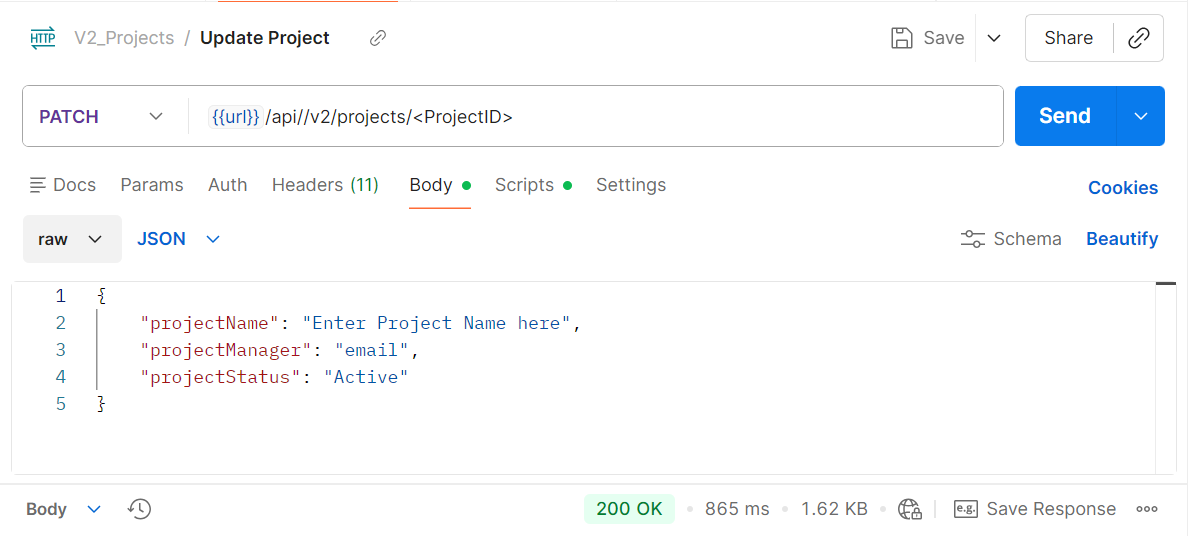
PATCH {{url}}/api//v2/projects/<ProjectID>
{{url}} - replace with your Panaya site URL: either https://my.panaya.com/ or https://emea.panaya.com/
<ProjectID> - replace with the ID of the project you’re trying to update
Send your API token in the header with X-Auth-Token to authenticate.
BODY of the request:
{
"projectName": "Enter Project name here",
"projectManager": "email@email.com",
"projectStatus": "Completed"
}
"projectManager": "Email" - this needs to be a valid user that is set up in Panaya
"projectStatus": can be one of the following:
"Active"
"Completed"
"On Hold"