ScriptBuilder, together with the Panaya Agent, highlights clicked elements in SAP GUI by drawing yellow outline boxes on screenshots and execution evidence. These outline boxes help identify the UI element that was interacted with during test execution.
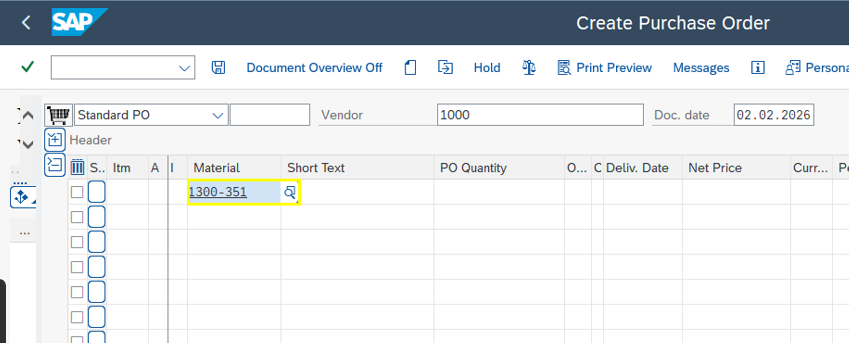
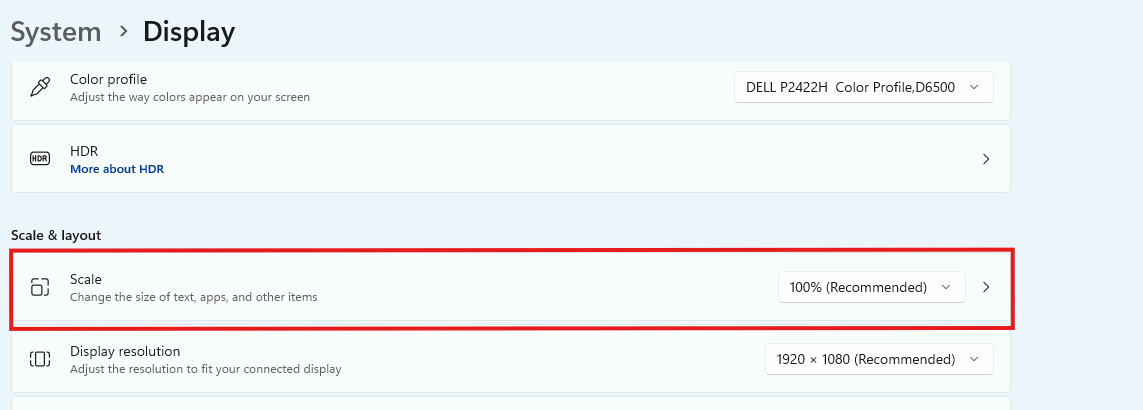
In SAP GUI environments, yellow outline boxes are displayed only when the Windows operating system display scaling is set to 100%. When display scaling is set to any value other than 100%, the outline boxes are not rendered in screenshots or execution evidence generated by the Agent.
This behavior is a known limitation of SAP GUI.
To ensure yellow outline boxes appear correctly in screenshots and execution evidence, configure the Windows display scaling to 100% before running ScriptBuilder automations using the Panaya Agent against SAP GUI.
Good to Know!
Applies to SAP GUI only
Applies to ScriptBuilder and the Panaya Agent
Does not affect web-based applications