Test creation is now faster and more intuitive than ever, powered by AI. You can expect a seamless, in-context experience that accelerates coverage, reduces friction, and helps teams move from requirements to executable tests in just a few clicks.
ⓘ BEFORE YOU CAN GENERATE TESTS WITH AI
The create tests permission is required to be able to generate tests with AI
ⓘ NOTE ABOUT AI-GENERATED RESULTS
Panaya generates test suggestions based on the provided input. AI-generated content should be reviewed and validated before use, as results may be incomplete or inaccurate. Improvements are delivered regularly.
From Requirements, Features, Workstreams
To generate from a requirement, feature, or workstream, use the Testing tab > Tests > Generate Tests with AI.
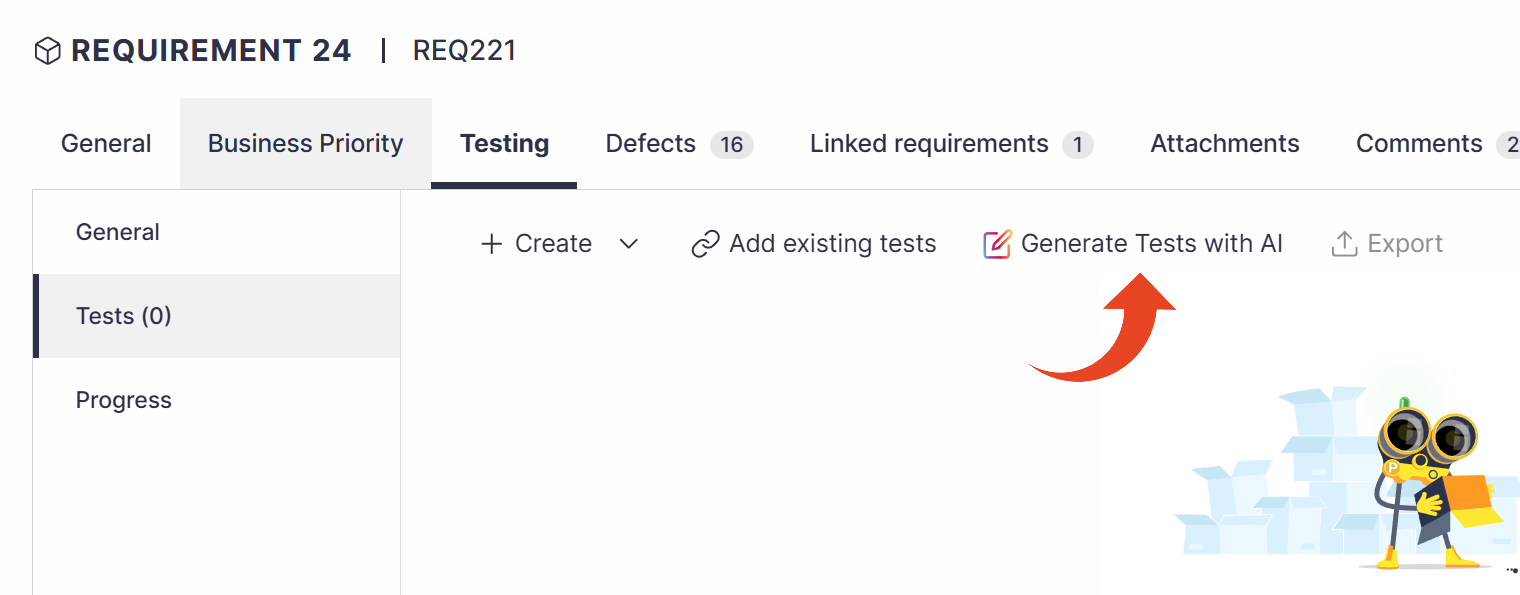
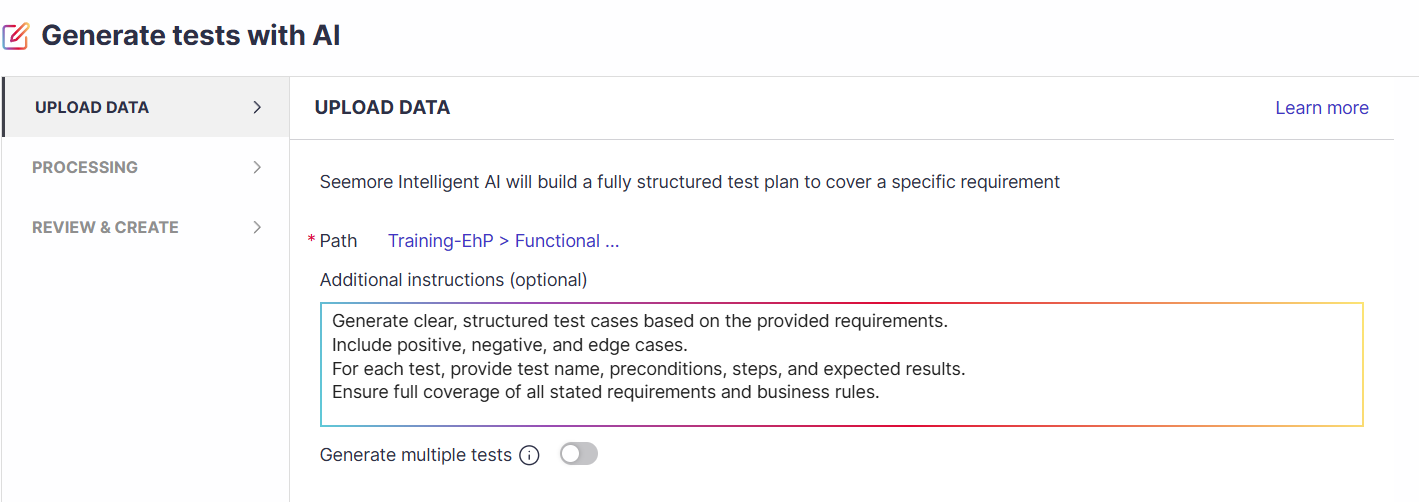
Select the Path in the test tree where the tests should be created.
Panaya will use the requirement details to generate the tests. You can provide additional instructions (optional). You can select to generate a single test or multiple tests.
Review the suggested tests. All generated tests are selected by default. You can unselect some of them.
You can expand to see the steps for each test.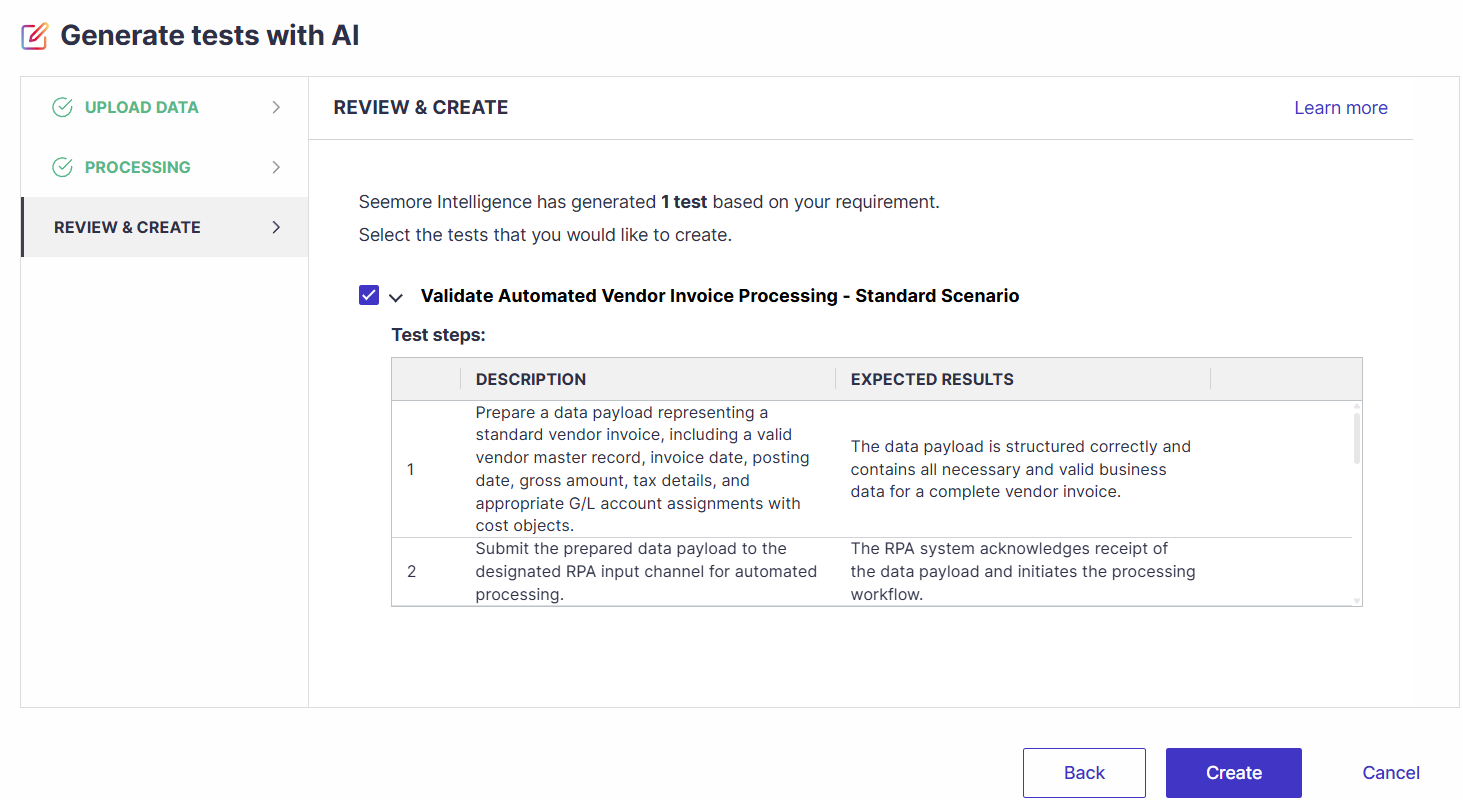
When done, click Create to generate the tests.
From the Test Tree
Click on a Cycle, Folder, or Business Process in the Test Tree. Then select Generate test with AI.
Alternatively, you can select a cycle or folder in the tree and click the new “Generate Tests” button to launch the wizard.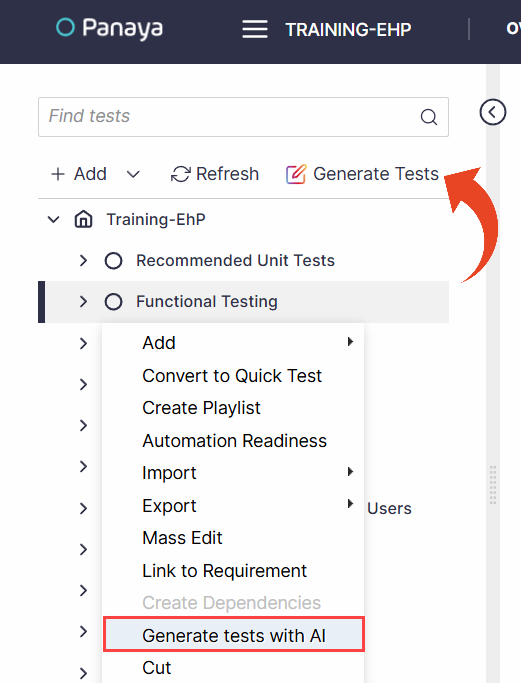
Fill in the prompt that will generate the tests.
Alternatively, you can select an existing Panaya requirement, feature, or workstream.The wizard also supports uploading a BPMN file.
You can select to generate either a single test or multiple tests for your prompt.
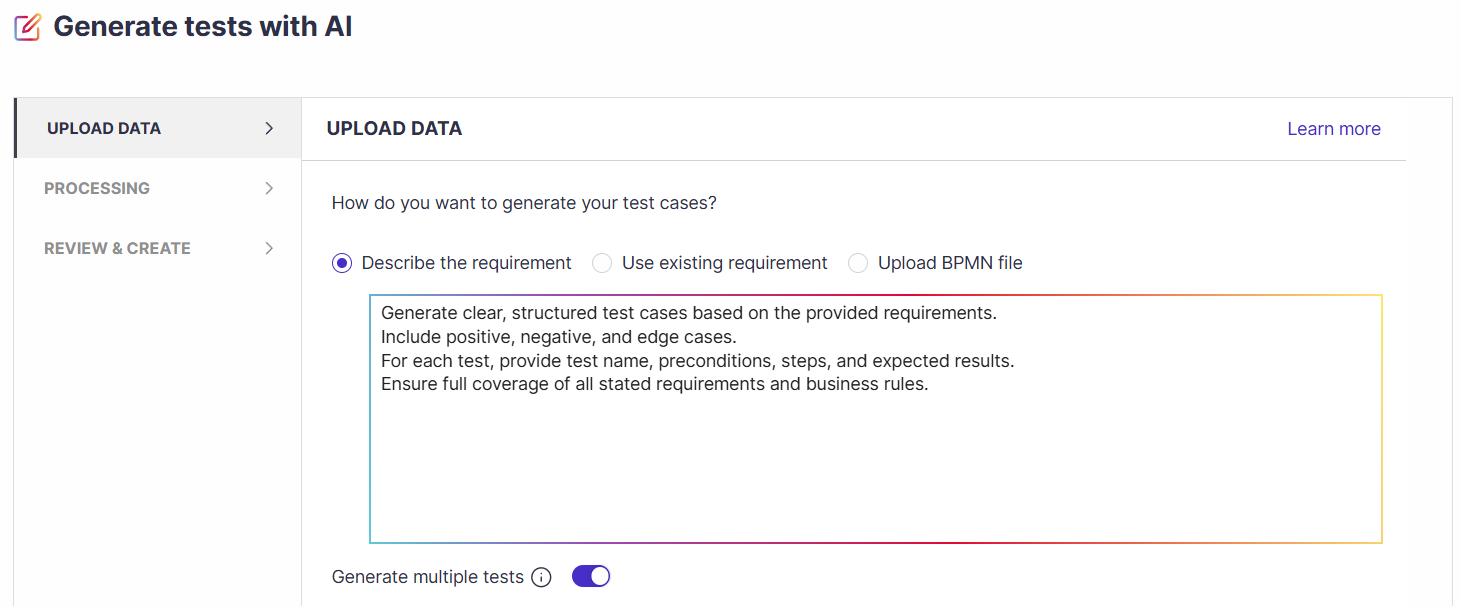
Click Generate.
Review the suggested tests. All generated tests are selected by default. You can unselect some of them.
You can expand to see the steps for each test.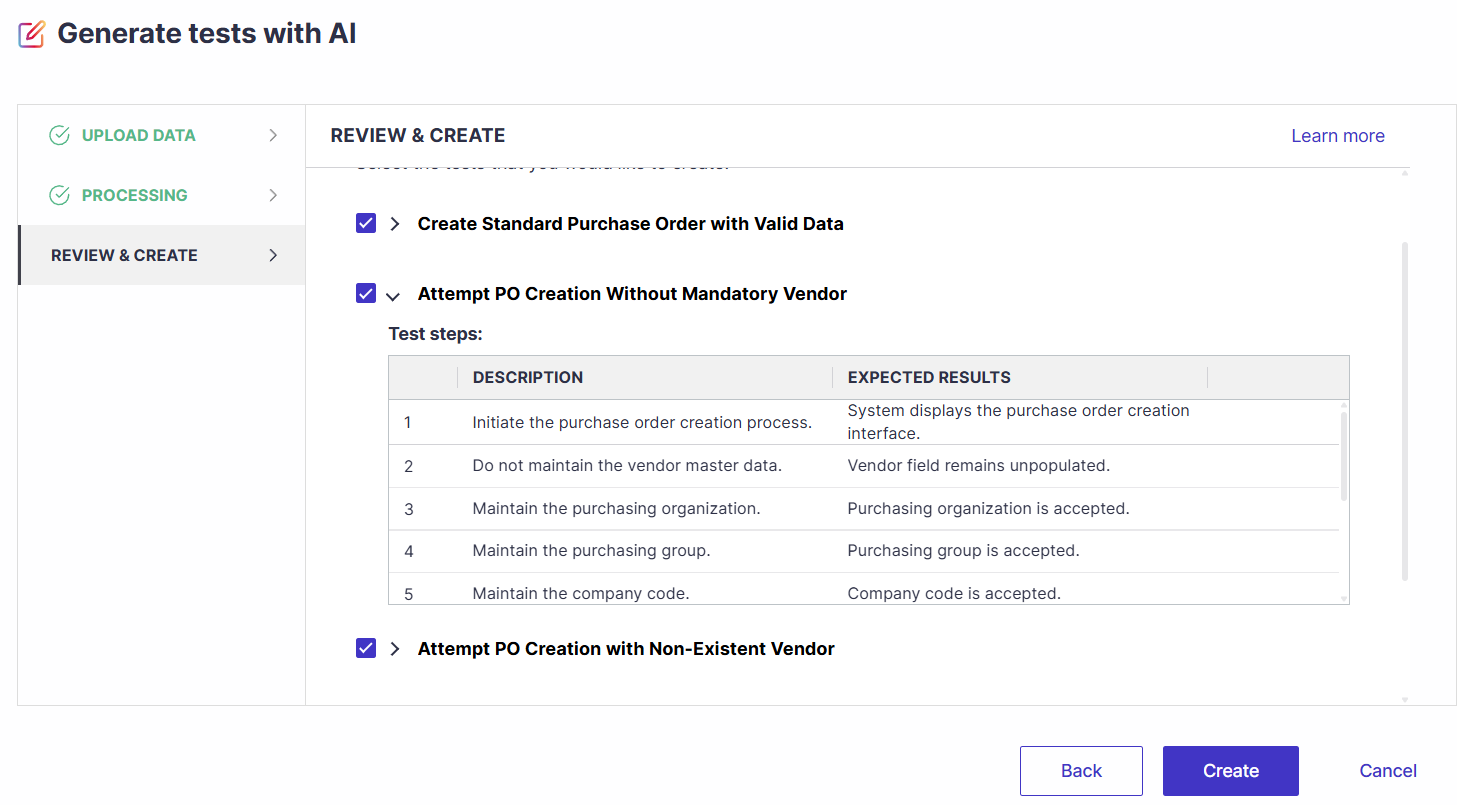
When done, click Create to generate the tests.
ⓘ TIP!
Check out our Generating Tests with AI: Tips for High-Quality Test Design article.
You can generate up to 10 tests at a time using AI.
✦ SEEMORE INTELLIGENCE
This capability is powered by Seemore Intelligence, Panaya's Gen-AI solution.
The generated content should be reviewed and validated before use, as results may be incomplete or inaccurate. Improvements are delivered regularly.