Audit and comply effortlessly with the ForeSight Changes Digest email, a tailored notification with updates on your Sandbox metadata changes, including additions, modifications, and deletions, and any differences between Sandbox and Production.
The email includes details about the user who made each change, and you can drill down to see the complete XML comparison. The notification is sent after each scheduled extraction and reflects the changes introduced between the previous and current extractions.
See the list of components supported in the Digest email.
Configuring Change Notifications
Click the Settings button
 to open the Configuration page.
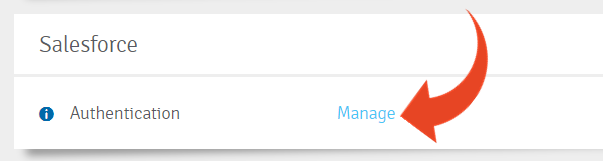
In the Salesforce section, click Manage in the Authentication section.
Good to Know!
To generate the comparison between Sandbox and Production organizations, you must set up authentication for the Production organization and select the Components maintained in Production checkbox.
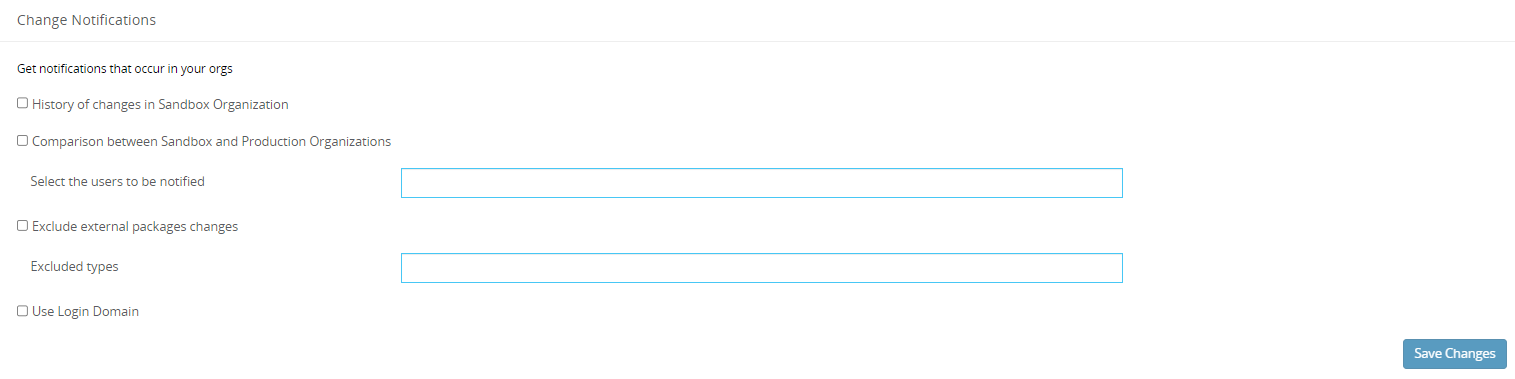
Scroll down to the Change Notifications settings section and select:
- The type of notifications to receive.
- The users who should receive them.
- Whether to exclude external package changes, including updates, uninstallations, and installations.
- Whether to exclude specific types and internal configurations, including metadata stored as data or data-driven metadata.
- Whether to display the login domain as the name for the Sandbox and Production organizations.
Click Save Changes.
Using Change Notifications
The users listed in the Configuration will receive an email digest after the extraction completes.
The email subject contains high-level details about the number of changes in the relevant organizations. For example:
Changes Digest - 45 changes in Panaya_Sandbox, 156 differences between Panaya_Sandbox and Panaya_Prod.
Click the numbers in the boxes to drill down to the relevant list views. This is the same as clicking View in Panaya.
.png)
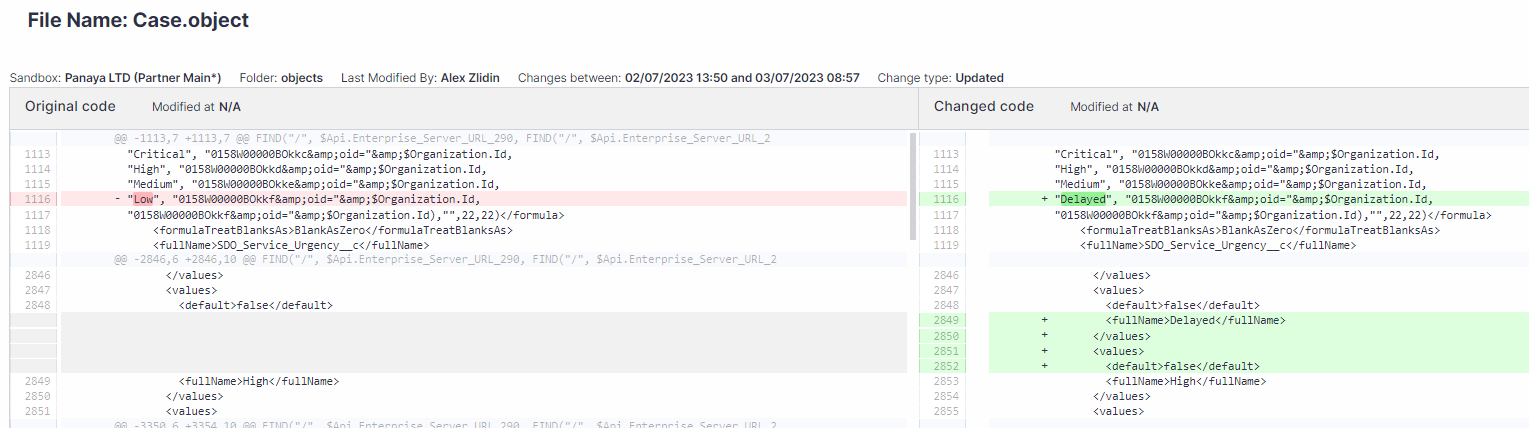
In the Changes History section, click a component name to see the differences between the Sandbox extractions.
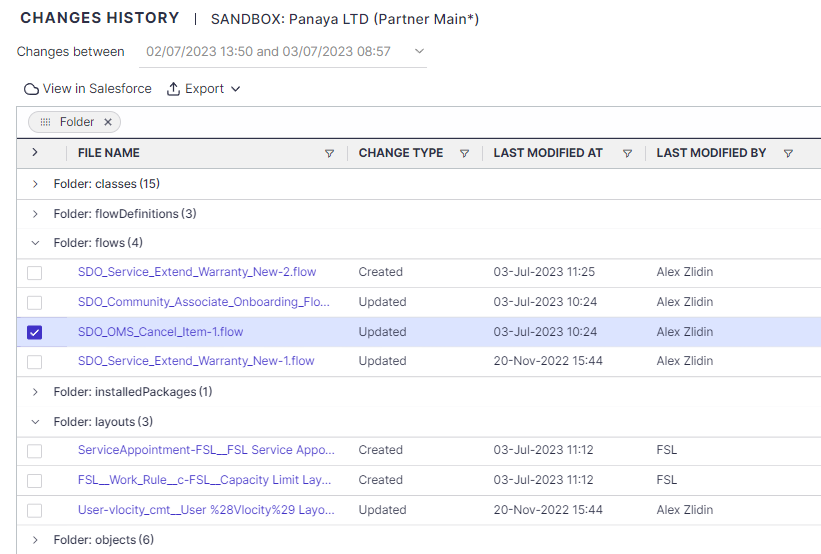
Click View in Panaya to open the Changes History list view with these details:
- File Name: The name of the changed component.
- Change Type: Created, Updated, or Deleted.
- Last Modified By
- Last Modified At
- Folder: Component Type.
Click a component name in the list to see the differences.
Select a component and click View in Salesforce to see the metadata definition in the Sandbox organization.
In the Org Comparison Summary section, click View in Panaya to open the Org Comparison Summary list view of all changes between the Sandbox and Production organizations.

The list includes:
- File Name: The name of the changed component.
- Difference Type: Difference, Only in Sandbox, or Only in Production.
- Sandbox Last Modified By
- Sandbox Last Modified At
- Production Last Modified By
- Production Last Modified At
- Folder: Component Type.
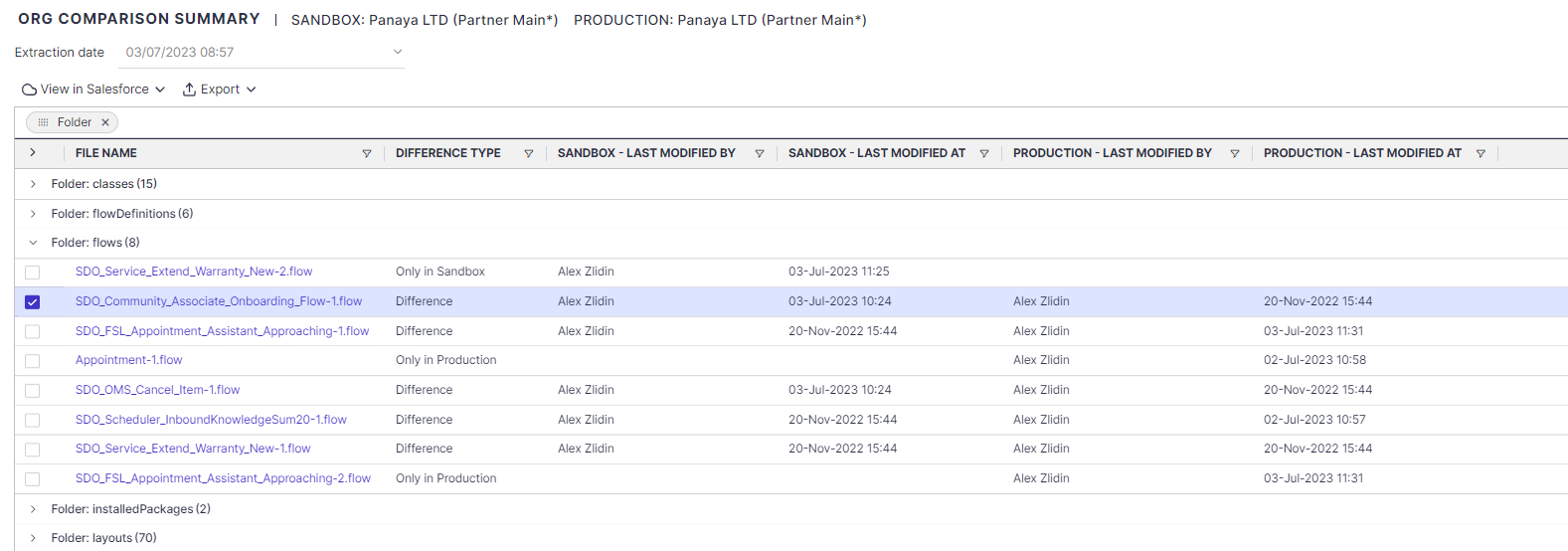
Click a component name in the list to see the differences.
Select a component and click View in Salesforce to see the metadata definition in the Sandbox or Production organization.