By default, we extract Fiori Apps, ODATA Services and ODATA Usage from the same system that the Panaya code extraction is running on:
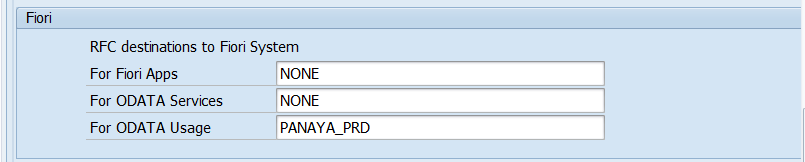
To extract Fiori Apps and ODATA Services from other systems, you will need to create a FIORI RFC (e.g. PANAYA_FIORI) with the authorizations listed in this article.
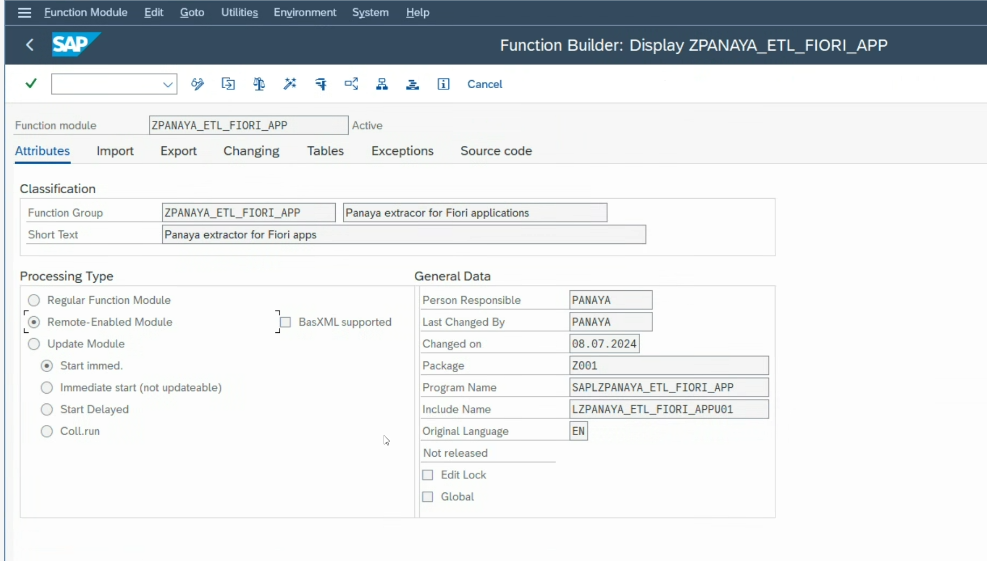
Also, using transaction SE37, you will need to create a Function Module called ZPANAYA_ETL_FIORI_APP with the following attributes:
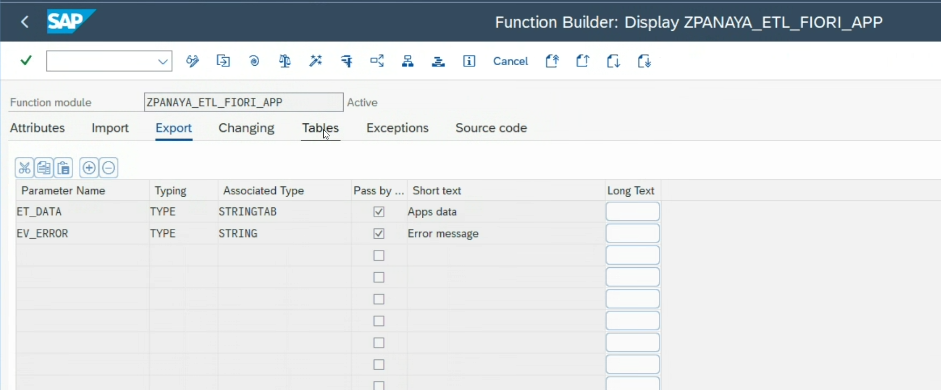
The Function Module should contain the code below.
Note
When adding the source code to the function module, remove the FUNCTION and ENDFUNCTION statements.