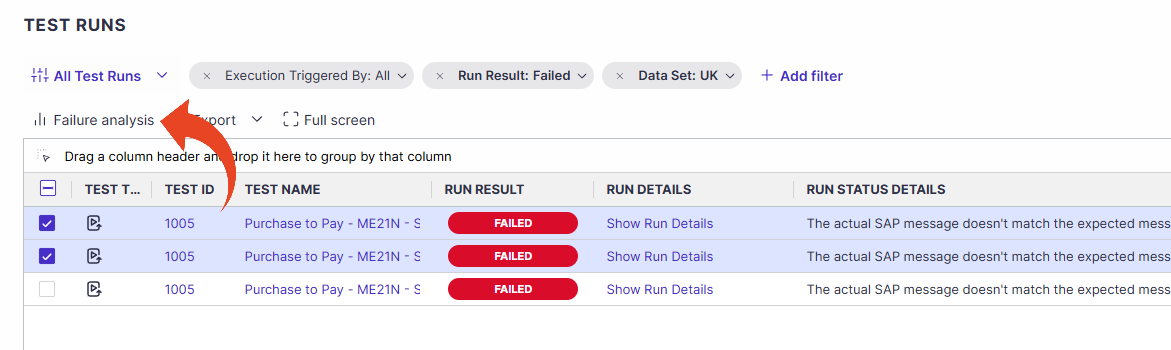
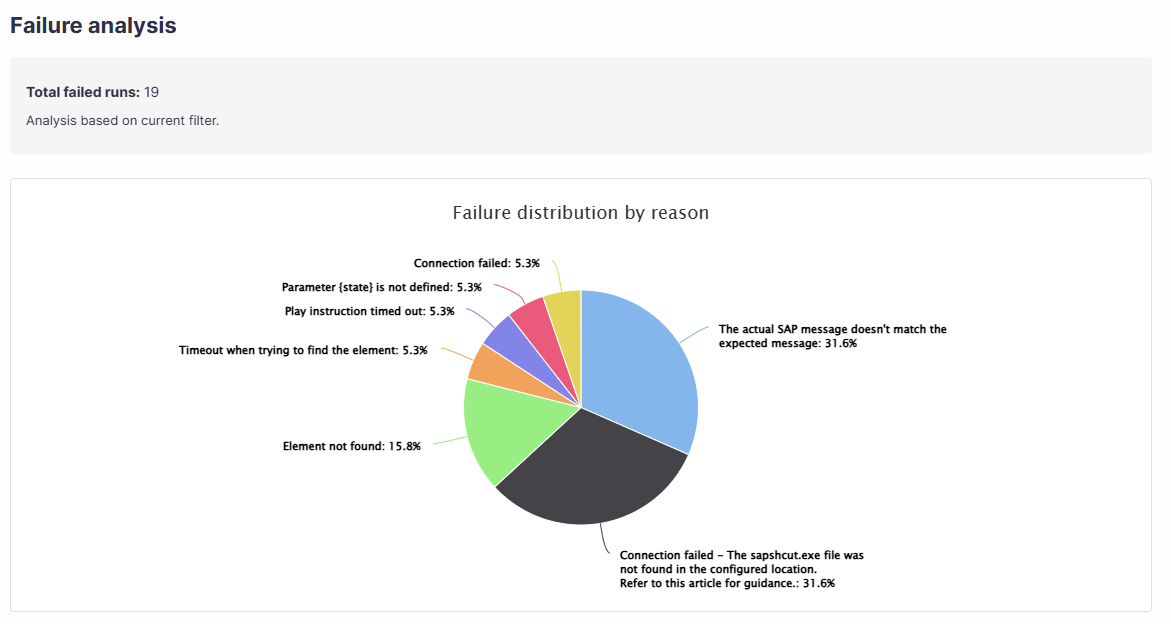
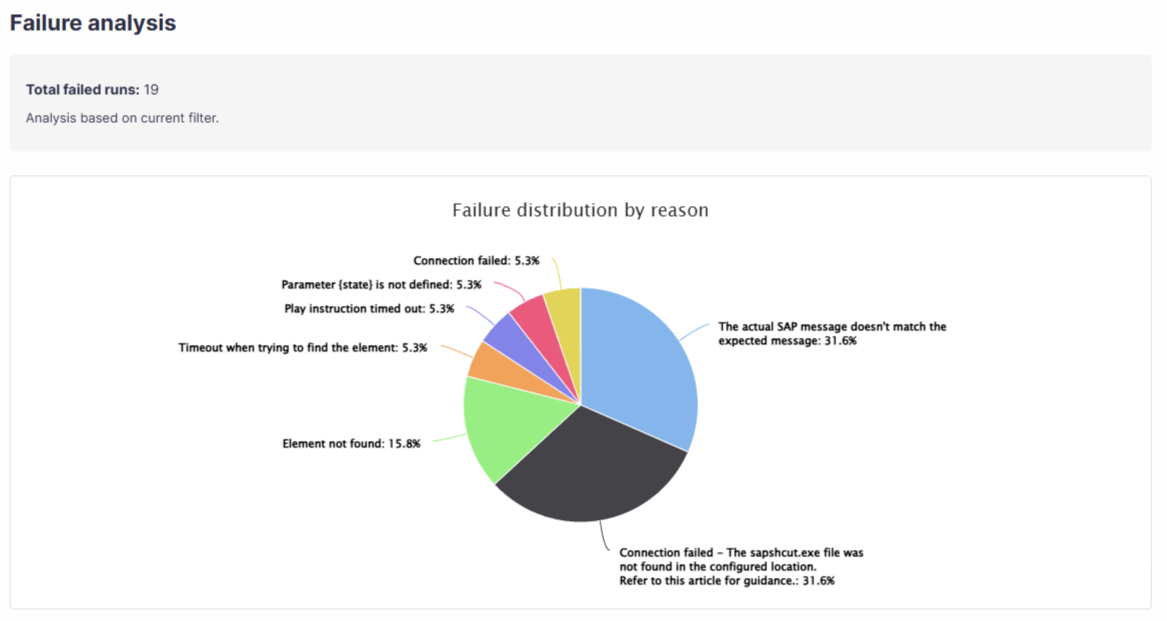
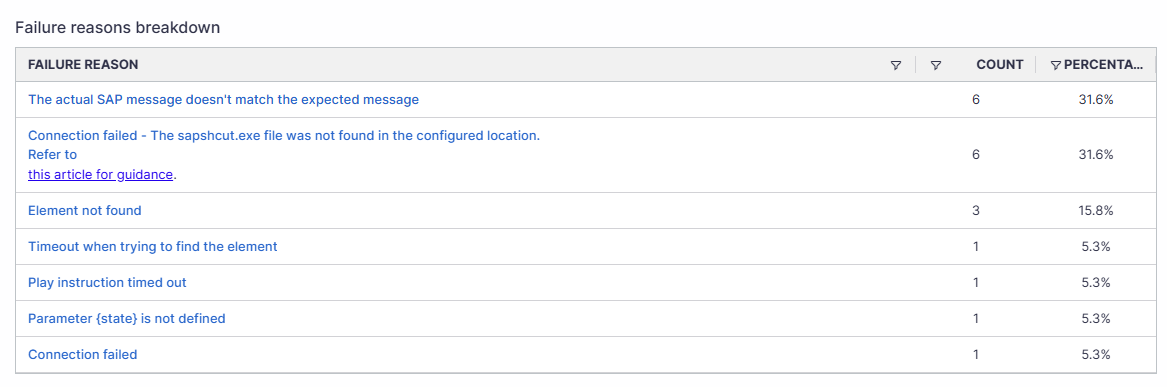
The Execution Failure Analysis view lets users analyze execution failures across multiple runs and filter tests by failure reason.
The Execution Failure Analysis transforms raw automation failures into clear, actionable insights. Instead of just showing that a test failed, it identifies common root causes, helps distinguish real defects from false or environment related failures, and highlights recurring patterns across executions.
Panaya’s Execution Failure Analysis enables teams to prioritize fixes effectively, improve script maintenance over time, and provide stakeholders with a clear, data-driven view of automation health and script stability.
Drill Down via Executions
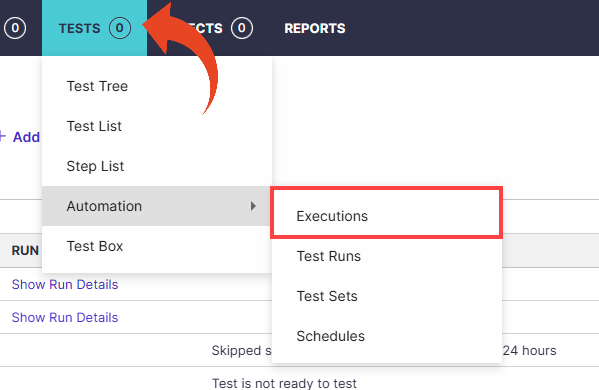
Hover the Tests tab and select Automation > Executions.
Click on an execution ID to drill down.
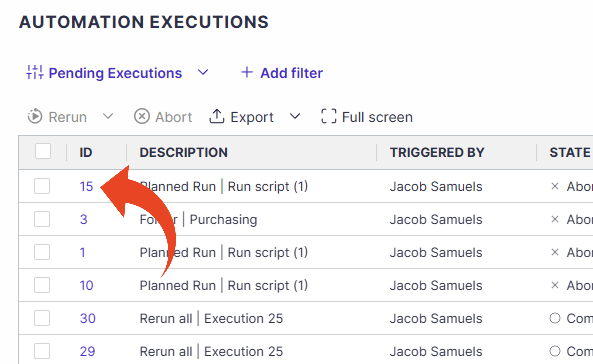
Click the Failure analysis button.
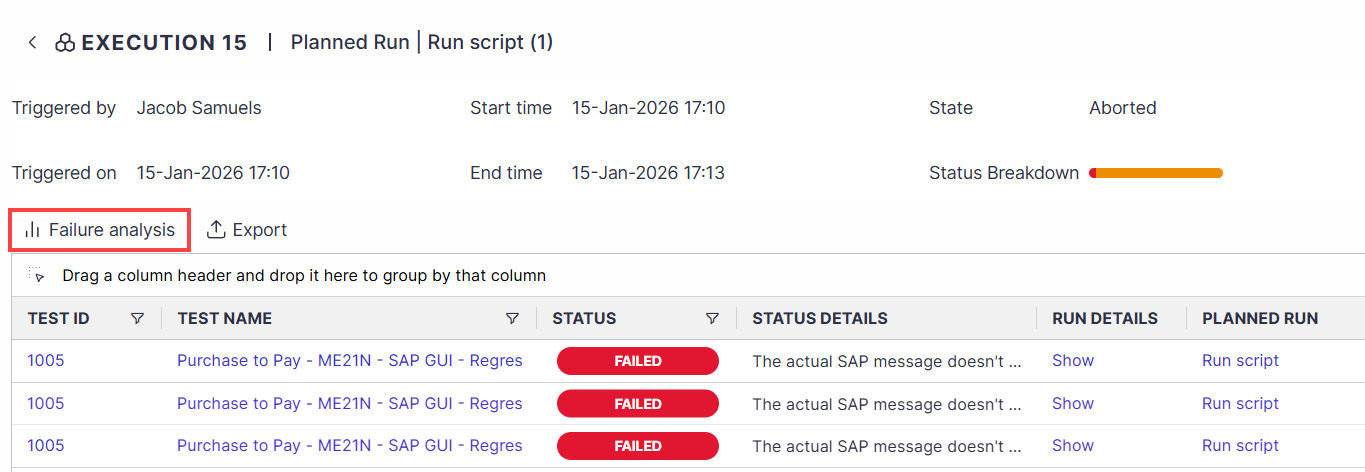
The failure analysis displayed is based on the current filters in the test runs list.
Drill Down via Test Runs
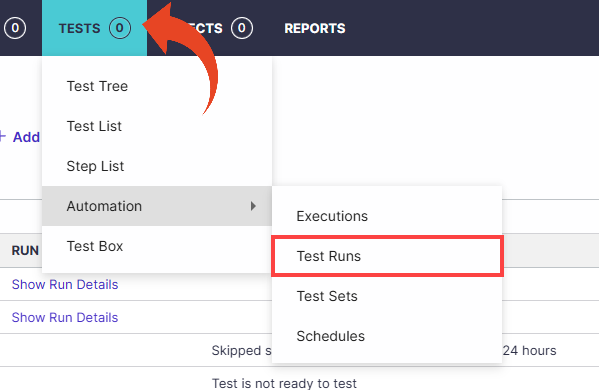
Hover the Tests tab and select Automation > Test Runs.
Use filters to narrow down the list of executions (optional).
Select one or more test runs, then click on the Failure analysis button.