This article explains how to configure your EBS to work with a concurrent program to download a patch from Oracle and run the Panaya PTL extractor on your EBS.
Prerequisites
- TLS 1.3 protocol support
- A successful connection to Panaya using wget:
wget --no-check-certificate https://emea.panaya.com/ or wget --no-check-certificate https://my.panaya.com/
- Download the Panaya Shell Script
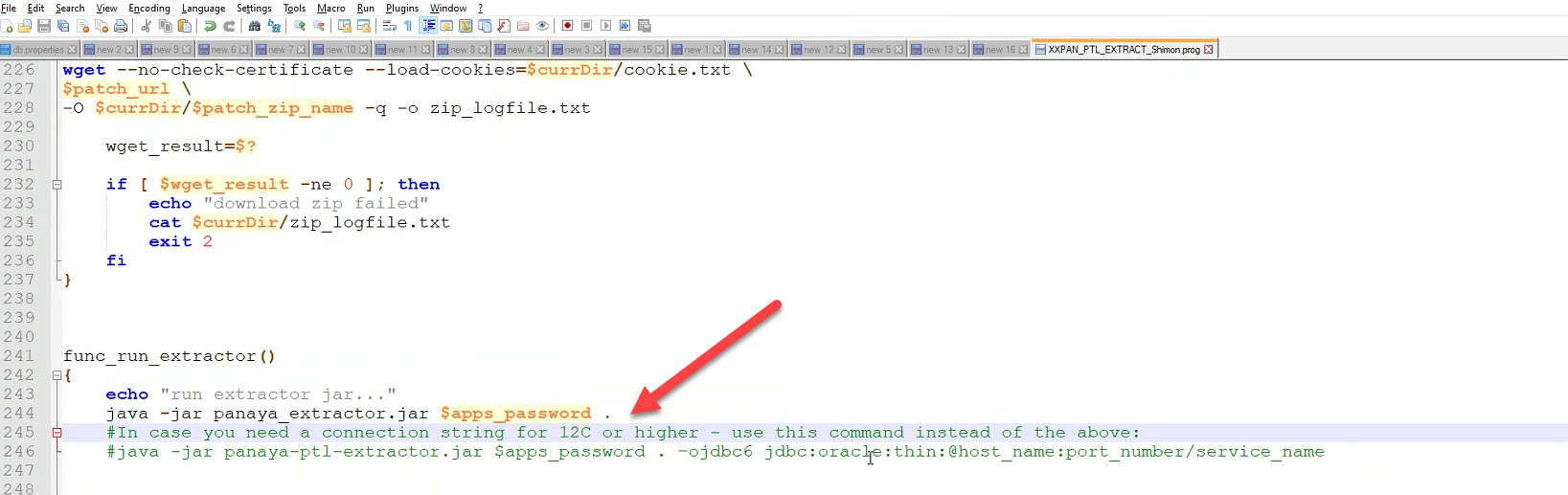
- If you require a connection string, use the code on line 246 instead of 244, and be sure to fill in your hostname, port, and service name, as shown below:
- Copy the shell script to your AU_TOP bin folder using WinSCP (or other file transfer tool)
4. Create a link to the kernel script using the command fndcpesr, and verify the link was created using ls -la XX* -
5. Allow executable rights to the script using chmod 744 XXPAN_PTL_EXTRACT.prog
6. Upload the concurrent definitions to your Oracle EBS business suite using an Ldt file, and run this command-- FNDLOAD apps/apps 0 Y UPLOAD $FND_TOP/patch/115/import/afcpprog.lct XXPAN_PTL_EXTRACT.ldt - WARNING=YES UPLOAD_MODE=REPLACE CUSTOM_MODE=FORCE
This will create a concurrent program called XXPAN PTL extract on your EBS application server:.jpg)
7. Fill in the values for all the following parameters and save your changesParameter
Description
Enable
Value Set
Default Type
Default Value
Required
Panaya_User
Panaya user
✓
100 Characters
Constant
Panaya account user
✓
Panaya Access Token
Panaya access token
✓
150 Characters
Constant
✓
ErpId
Erp id
✓
100 Characters
Constant
Panaya system id
To get your ErpID, contact Panaya Support.✓
Destination Directory
File path
✓
100 Characters
Constant
Where the PTL will be created, mount share point.
✓
Destination URL For sent email
The PTL URL path sent to you via email ✓
100 Characters Constant Link to where the PTL will be created, mount share point.
✓
Apps_Pass
Apps password
✓
100 Characters
Constant
Apps schema password
✓
Metalink Username
My Oracle Support username
✓
100 Characters
Constant
MOS username
✓
Panaya Site URL
Panaya site
✓
100 Characters
Constant
my.panaya.com
emea.panaya.com✓
Metalink Password My Oracle Support password ✓
100
CharactersConstant password ✓
- FNDLOAD apps/apps 0 Y UPLOAD $FND_TOP/patch/115/import/afcpprog.lct XXPAN_PTL_EXTRACT.ldt - WARNING=YES UPLOAD_MODE=REPLACE CUSTOM_MODE=FORCE
The following 3 Parameters need to be entered carefully with each patch analysis request, and the language and code line of the patch must be the same as maintained in Oracle Support for a specific patch:
Patch 1: Patch Number (For example, 832349.A)
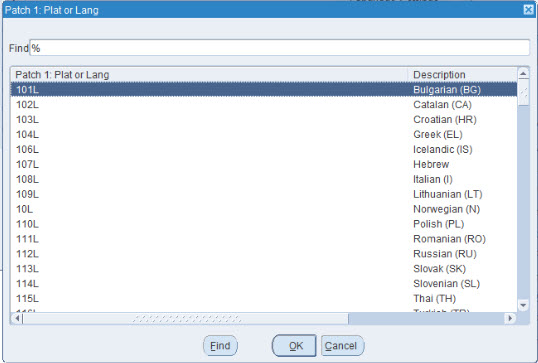
Patch 1: Platform or Language (Need to select a value from available options)
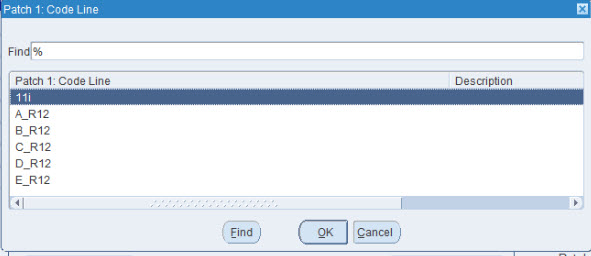
Patch 1: Code Line (Need to select a value from the available option)
For the Patch Platform/Language and Code Line values, be sure to select them from the available options when you click on those fields in the program:
The completed form and all the fields should look something similar to this:
.jpg)
Using this method, you cannot use split/special request/one-off patches.