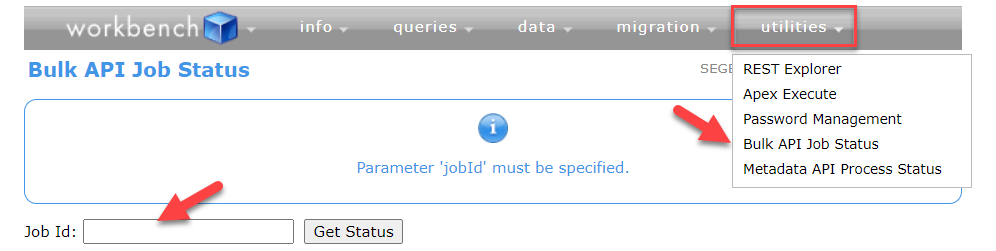
This article describes how to verify the Salesforce user, used to authenticate with Panaya to Salesforce - has the needed permissions.
1. Login to salesforce org (prod/sandbox) with the same user authenticated with Panaya
2. Open the Workbench site, and select Production or Sandbox from the Environment list.
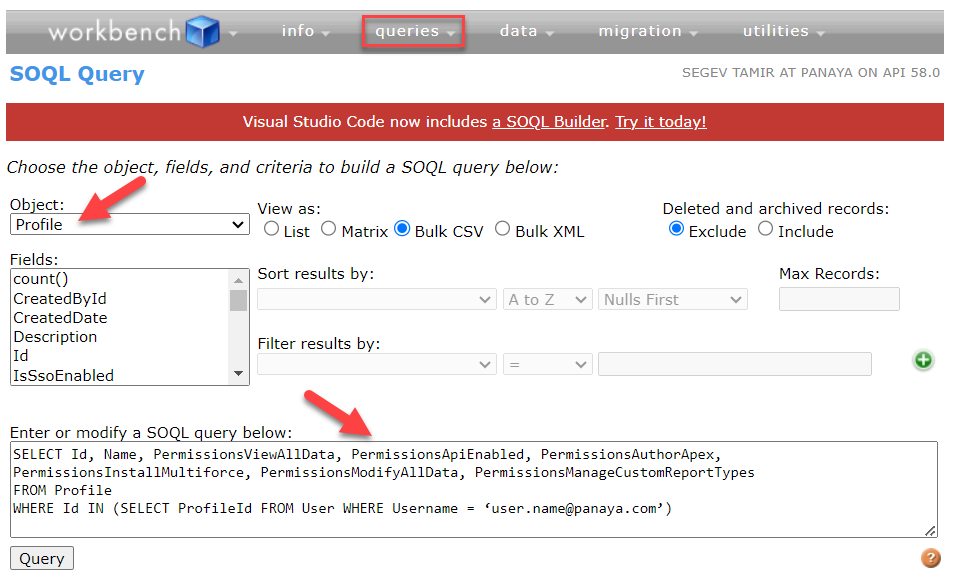
3. Click Queries - SOQL Query
4. Choose Object 'Profile'
5. Replace the Username and Run the Query, then Select View as:
Bulk CSV checkbox to run the Salesforce job to generate a spreadsheet with all FLS data.
SELECT Id, Name, PermissionsViewAllData, PermissionsApiEnabled, PermissionsAuthorApex, PermissionsInstallMultiforce, PermissionsModifyAllData, PermissionsManageCustomReportTypes
FROM Profile
WHERE Id IN (SELECT ProfileId FROM User WHERE Username = ‘user.name@panaya.com’)
6. In Salesforce, go to Setup > Bulk Data Load Jobs and press the Job ID of the submitted job - Under the Batches section, select View Result or compare the results with the minimum needed permissions: