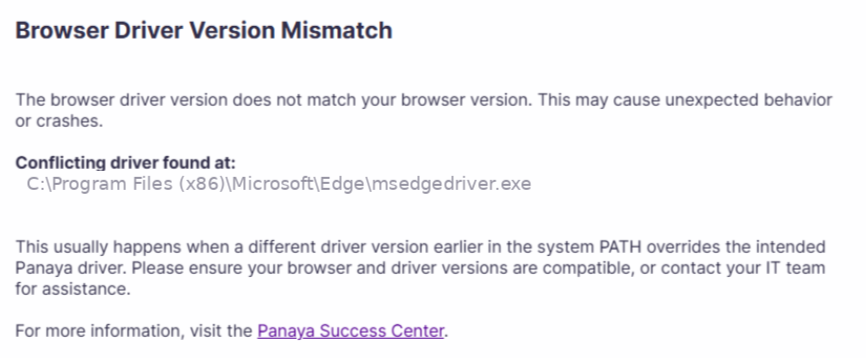
If you encounter the below error message when trying to launch ScriptBuilder, the browser driver version (msedgedriver.exe or chromedriver.exe) does not match the installed browser version. This issue typically occurs when another browser driver installation appears earlier in the system and overrides the Panaya driver.
The error dialog displays the full path of the conflicting driver to help identify the source of the issue.
How to fix
Review the conflicting path shown in the error dialog.
The dialog displays the exact location of the driver that was used instead of the Panaya driver.
Navigate to that path and delete the driver file, typically msedgedriver.exe or chromedriver.exe.
Check common conflicting location - Conflicts are commonly caused by drivers located in -C:\Program Files (x86)\Microsoft\Edge\which may contain a built-in Edge driver.C:\Windows\System32\which may include a system-wide driver installation.Folders created by other automation or testing tools.
Provide the following information to your IT team -
The full path of the conflicting driver is shown in the error message.
The Panaya driver default location is %APPDATA%\Panaya\WebEngine\SeleniumDrivers\A request to resolve the conflict using one of the following methods-
Remove or rename the conflicting driver.
Example: Rename
msedgedriver.exetomsedgedriver_backup.exe, in the conflicting folder.Modify the system path so the Panaya driver folder appears first.
Move the Panaya driver folder to a higher location in the operating system environment variables.Remove unused driver installations.
Uninstall or delete duplicate or outdated browser driver files that are no longer required.
Good to Know!
Only one browser driver per browser should be available in the system path. Multiple drivers increase the risk of version mismatches after browser updates.