When similar issues are reported more than once, finding duplicates manually takes time and adds noise to the backlog. Panaya's AI-powered duplicate detection uses semantic search and AI-based similarity analysis to find existing defects that may describe the same issue, and presents them with a similarity level of High, Medium, or Low.
Duplicate detection is available in two places:
While creating a defect – identify potential duplicates before saving a new defect.
From the Linked Defects tab – identify potential duplicates for an existing defect.
✦ GOOD TO KNOW!
AI features must be enabled for your account. Learn how to enable AI features.
Detect Duplicates While Creating a Defect
With AI Duplicate Detection, Panaya automatically identifies potential duplicates while users create a defect, surfacing relevant matches with clear similarity levels.
Users can quickly review potential matches and link the new defect to relevant existing defects, or stop creating it when the issue is already covered. This helps reduce defect noise, keep the backlog cleaner, and avoid unnecessary triage and investigation.
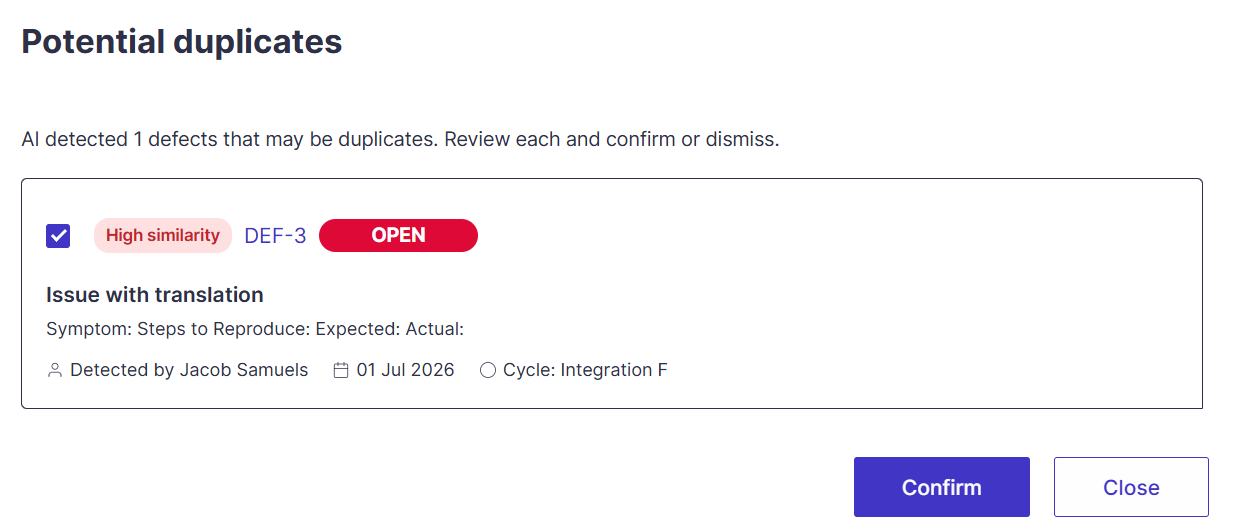
Click the Detect duplicates button when creating a new defect.
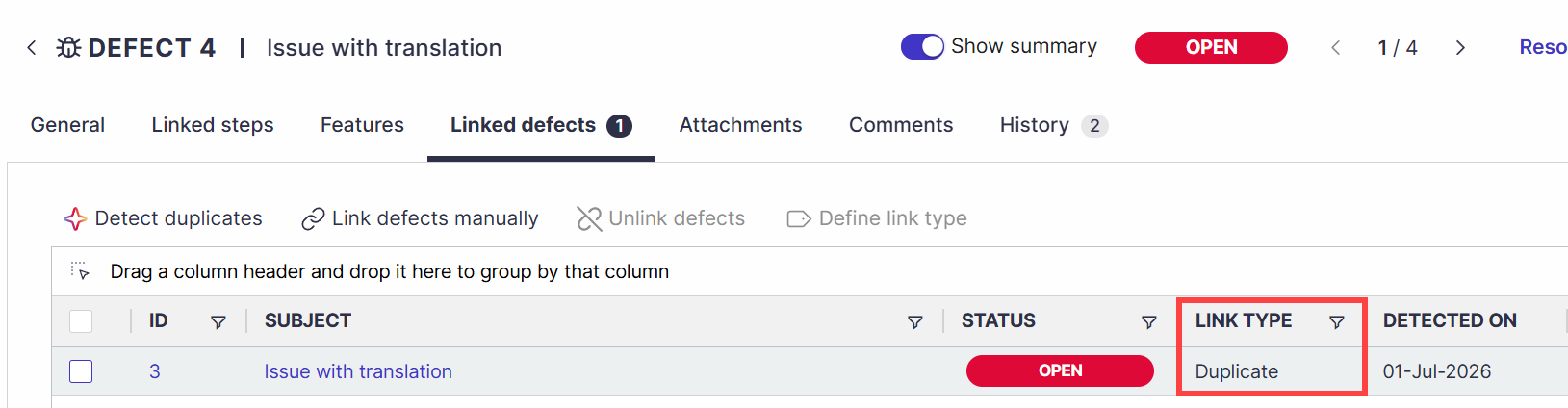
Review the suggested defects and confirm whether they are indeed duplicates of the same issue. You can then continue creating the duplicate while keeping the linkage, or stop creating the defect.
Detect Duplicates for Existing Defects
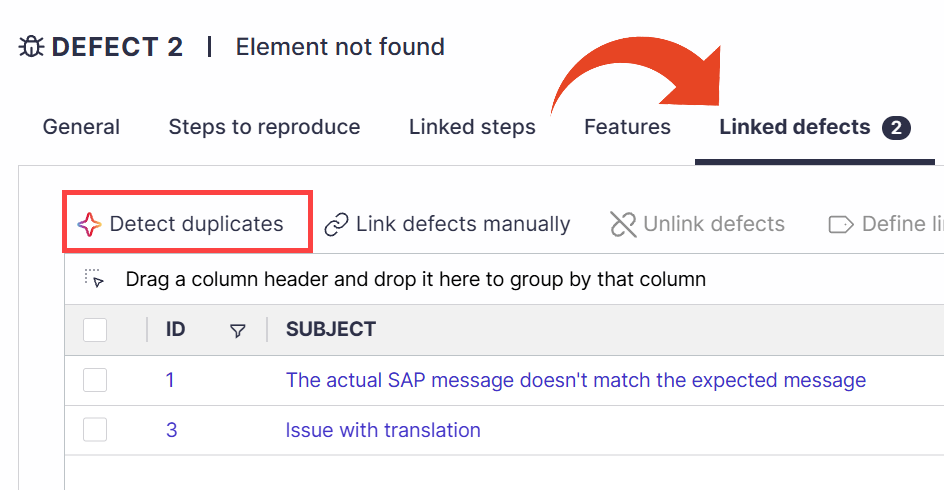
Open the defect and select Detect duplicates from the Linked defects tab.
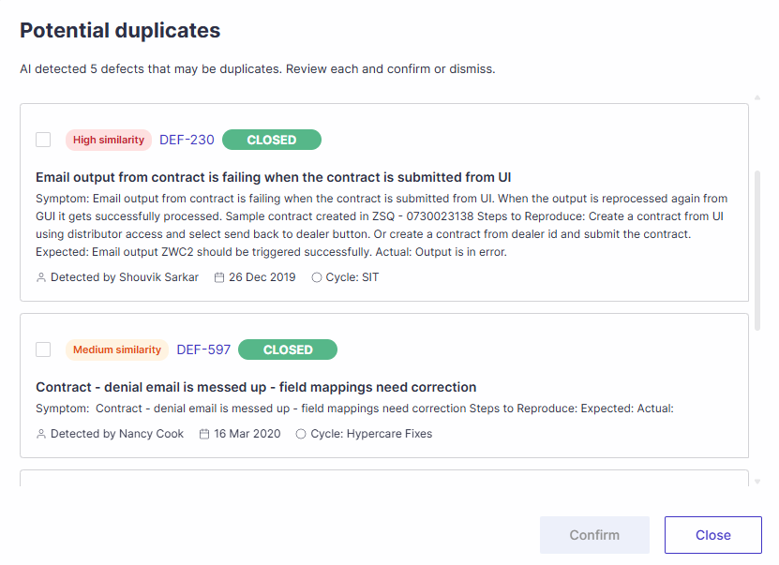
Panaya analyzes existing project defects and presents possible matches in the Potential duplicates dialog, each with a similarity level.
Review the suggested defects, select the relevant candidates, and click Confirm to link them as duplicates.
ⓘ GOOD TO KNOW!
AI-generated suggestions are intended to assist defect review. Review each suggestion before confirming that the defects are duplicates.
See also: Linking Defects to Defects