You can paste multiple IDs for a custom Tests, Defects, or Corrections list.
- Copy a list of IDs, such as from an Excel file, to your clipboard.
- Select the Tests, Defects, or Corrections list.
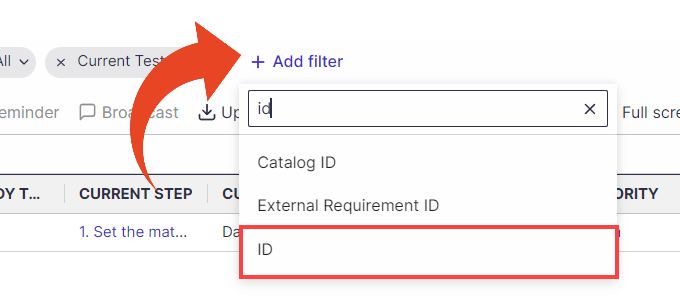
- Click on Add filter, and add the ID filter
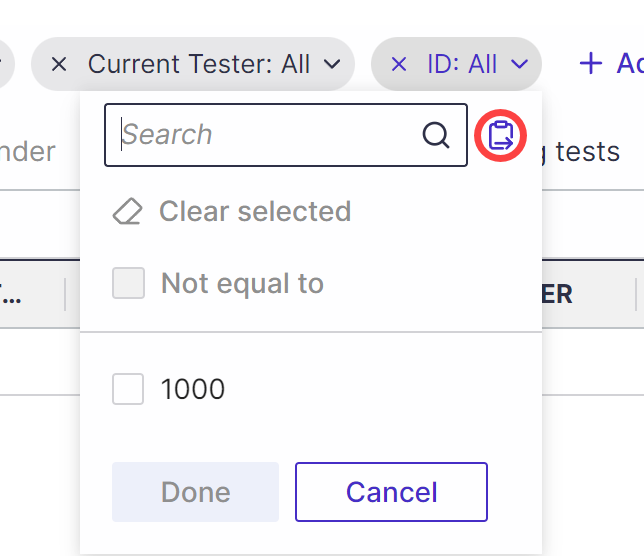
- In the ID filter, click on the paste multiple IDs button
- Paste the list of IDs, and create a custom list filtered by IDs.
.gif)