Web application and SAP GUI Manual tests with evidence created using Panaya’s legacy Run & Document Recorder can now be converted into automated tests and scripts. Panaya uses your manual test evidence to produce a runnable automated script with complete parameter correlation.
This feature is currently in BETA
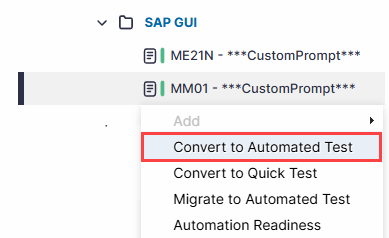
In the Test Tree view, right-click on a Web application or SAP GUI manual test with evidence, and select Convert to Automated Test.
Select the cycle in which you wish the automated tests to be created. You can convert all, or pass tests only, and define whether to keep the folder structure.
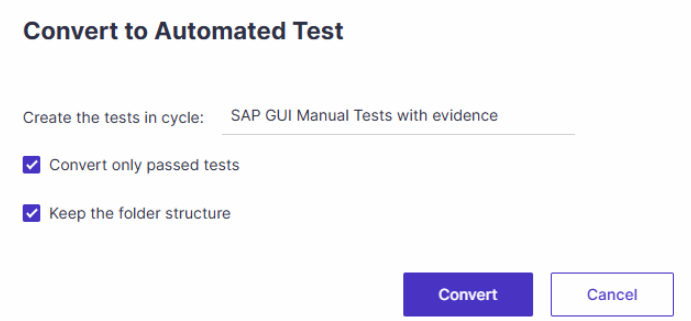
Click Convert.
Upon completion, an email notification will be sentTo track your request, click the Request Status button in the top-right corner of the screen.

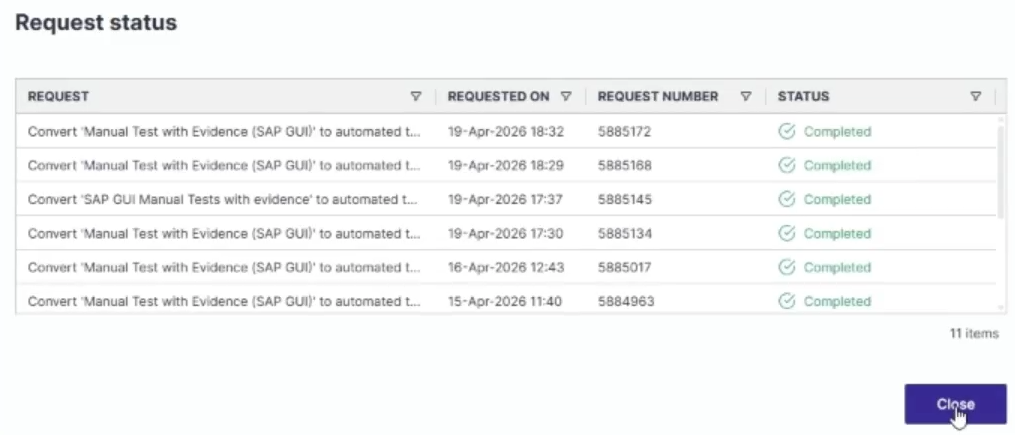
Review Conversion Results
After the conversion is complete, the output should be a fully converted, automated test that can be opened in ScriptBuilder and validated through a debug run. As a best practice, review and refine the test before triggering an agent run.
Conversion Traceability
When Panaya converts manual test evidence into an automated test, it automatically creates an initial script version that includes the conversion details. This makes it easier to identify the version created by the conversion and distinguish it from later user changes.
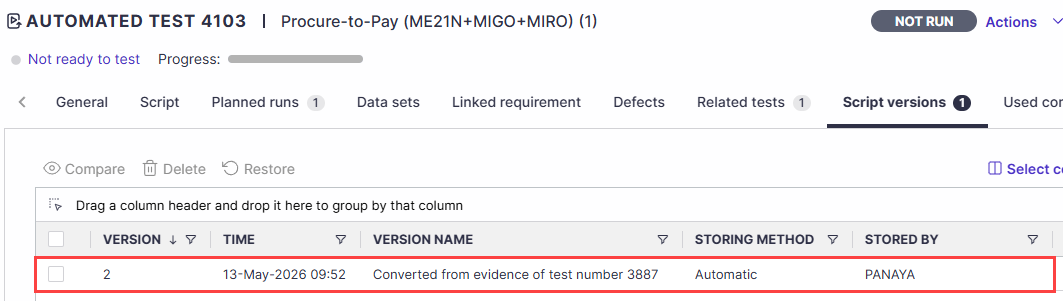
The source manual test is also automatically linked to the new automated test and appears in the Related Tests tab, providing direct traceability between the original manual test and the generated automated test.
Key considerations
Differences in AUT configuration
Issues may occur if the target AUT configuration has changed since the original evidence was recorded. For example, a table can now be configured as a grid rather than a standard table.Missing elements
Some components, such as timeouts or validations, may not be included in the converted test. Review these areas carefully.Parameter correlation
Parameter correlation is applied automatically during conversion.Legacy evidence alignment
Older evidence may not fully match the current state of the application or script. Adjust the test where needed to ensure accuracy and stability.SAP connection settings
The SAP connection is converted automatically. However, you may still need to update or validate connection parameters.
Good to Know!
Test conversion requires evidence recorded with the SAP ERP or Web browser recording option in the Panaya legacy recorder. Steps recorded with Other Applications cannot be converted and appear as unsupported sections in the converted script with no automated actions. This is expected behavior, not a defect.